Category: Technology

  • Why Your AI Stack Is Broken | LLM-Agnostic Platform

    `

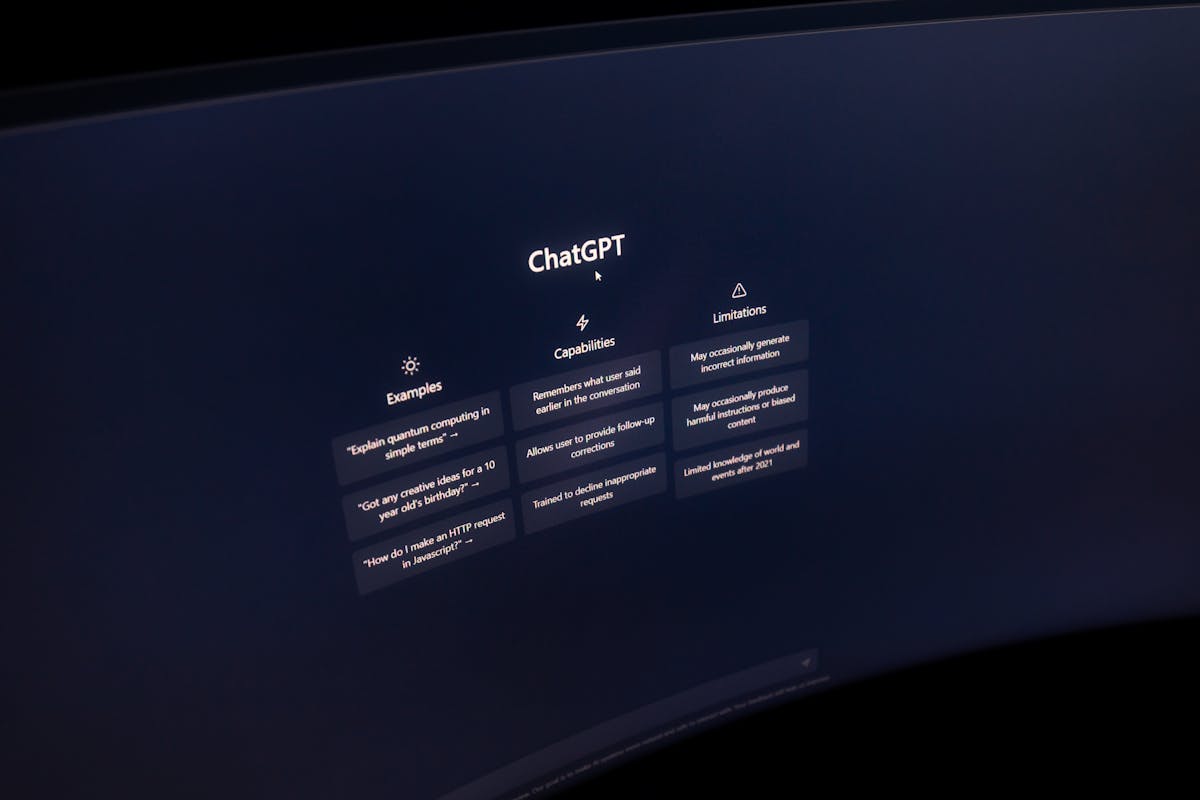
    Close-up of a computer screen displaying ChatGPT interface in a dark setting.
    Photo via Pexels

    `

    Here’s a question most enterprise IT leaders aren’t asking out loud: what if the AI tools you added to increase productivity are actually making it worse? That’s the hidden cost of a fragmented stack — and why an llm agnostic platform is quickly becoming the smarter architecture choice for enterprise IT.

    Not because the tools are bad.

    Because you have too many of them, none of them share context, and your people are spending more time toggling between platforms than doing the work those platforms were supposed to accelerate.

    The average enterprise knowledge worker switches between AI tools roughly 1,200 times a day. That’s not a workflow. That’s a treadmill. And it’s costing your organization north of four hours per person, per week — before you even factor in the cognitive recovery cost of each context switch.

    The fix isn’t a better AI tool. It’s a different kind of infrastructure: an LLM-agnostic platform that puts a unified, governed access layer between your people and the proliferating model ecosystem underneath them.

    That’s what this post is about — and why platforms like GPT Studio are increasingly relevant to CIOs trying to reduce AI sprawl without slowing innovation.

  • AI Workflow Automation for SMB Teams | Workilo

    How AI Workflow Automation Helps Small Business Teams Work Faster Without Burning Out

    Blog image 1
    Photo via Pexels

    By Workilo | AI Workflow Automation for Growing Teams

    It’s 9:15 a.m. Your marketing manager has already opened six browser tabs.

    ChatGPT for the campaign brief. A project tool for task assignment. The CRM for client context. Slack for approval chasing. Google Docs for the actual draft. And a spreadsheet somewhere that holds the only version of the content calendar that anyone trusts.

    By 9:30, she’s explained the same campaign objective three times — to three different tools that have no idea the others exist.

    That’s not a productivity problem. That’s an infrastructure problem.

    And it’s costing your team more than you think. According to research published by Harvard Business Review, the average knowledge worker toggles between applications over 1,200 times per day — burning nearly four hours of productive time every single week. Researchers have a name for it: the toggle tax.

    And here’s what makes it worse: as AI tools multiply, the toggle tax is accelerating, not shrinking. Every new AI assistant you add to the stack is another context switch waiting to happen.

    AI workflow automation fixes this at the infrastructure level. Not with another tool. With a fundamentally different approach to how work gets done.

    This guide breaks down what AI workflow automation actually means for small business teams, where it delivers the most immediate ROI, and how to start without overcomplicating it.

    If your team is already feeling the weight of fragmented tools, it’s worth seeing how Workilo’s AI workflow platform approaches connected execution differently.

  • Why Your AI Stack Is Broken — And How to Fix It

    By Clive Moore | May 5, 2026

    It’s 8:47 AM. You’ve got a blog post due by noon.

    You open ChatGPT in one tab to brainstorm angles. Perplexity in another to fact-check a stat. You copy the best paragraphs into Jasper because that’s where the “real writing” happens. Then you paste the draft into Grammarly. Then you pull key phrases into Surfer for SEO scoring. Then you drop the headline options into Canva’s AI assistant to mock up a social graphic.

    Six tools. Six tabs. Six separate conversations with AI that have absolutely no idea what the other five just said.

    Sound familiar? You’re not alone. The average knowledge worker now juggles four to six AI productivity tools every single day. And here’s the uncomfortable part: each one of those tools is genuinely good at what it does. Individually, they’re impressive. Together, they create a workflow held together with copy-paste and prayer.

    The problem isn’t the AI. It’s the stack.

    And the fix isn’t a better tool. It’s a different architecture — one built around AI workflow automation, where specialized AI collaborators, what we call workalongs, actually work together across your entire workflow without you playing middleman.

    Let me show you what I mean.

    The Real Cost of a Disconnected AI Stack

    Most people don’t realize how much the fragmented tool problem is actually costing them. Not in some abstract, hand-wavy productivity sense. In real time, real money, and real cognitive energy — every single day.

    The Copy-Paste Tax

    Every time you move output from one AI tool into another, you pay a tax. You lose:

    • Context — the strategic reasoning that shaped the original output
    • Formatting — structure that has to be rebuilt from scratch in the next tool
    • Nuance — the subtle adjustments that made the previous output actually work
    • Here’s a scenario that plays out in marketing teams everywhere: A marketing manager uses ChatGPT to brainstorm campaign angles. She picks the three strongest and copies them into Jasper for long-form draft development. Jasper doesn’t know why those angles were chosen. It doesn’t know the target audience she described in her original prompt. It doesn’t know the brand voice guidelines she uploaded into ChatGPT last week.

      So she re-explains. Again.

      Then the draft goes into Grammarly for editing. Then key phrases get pulled into Canva’s AI for visual copy adaptation. Four tools. Zero shared memory. And somewhere between thirty and forty-five minutes burned per project — not on the work itself, but on the handoffs between the work.

      Multiply that across every project, every week, every team member. The copy-paste tax is one of the most expensive invisible costs in modern knowledge work.

      Context Collapse

      Here’s what makes it worse: AI tools in isolation don’t know what happened before them or what comes after. Each one starts from zero. You type a prompt, you get a response, and the entire burden of continuity falls on you.

      You become the integration layer. The human middleware.

      Think about how good work actually flows. It builds. One insight leads to the next. A research finding shapes a strategic angle, which shapes a headline, which shapes the body copy, which shapes the social distribution plan. Each step is informed by everything that came before it.

      Disconnected AI tools don’t build. They reset. And every reset means you’re spending energy re-establishing context instead of moving the work forward.

      The Hidden Expense Nobody Tracks

      Then there’s the money. Four to six AI subscriptions at $20–$50 per month each adds up to $100–$300 per month per person. For a team of five, that’s potentially $18,000 a year in AI tools alone — before you’ve accounted for the time lost stitching them together.

      Your CFO sees one budget line: “AI tools.” In reality, it’s a fragmented mess with:

    • Overlapping capabilities no one is tracking
    • Redundant features you’re paying for twice
    • Zero coordination between any of them
    • But the cost that really stings isn’t the subscriptions. It’s the cognitive load — the daily decision fatigue of figuring out which tool to use for which task, which prompt works best where, and how to stitch the outputs into something coherent.

      You didn’t sign up for AI tools so you could spend your day managing AI tools.

      Why “All-in-One” AI Tools Don’t Actually Solve This

      At this point, most people arrive at the same conclusion: “I just need one tool that does everything.”

      It’s a logical instinct. And it’s wrong.

      The Swiss Army Knife Problem

      All-in-one AI tools try to be generalists. They promise writing, research, editing, image generation, project management, and analytics — all under one roof. Sounds efficient. In practice, they do twelve things at a B-minus level.

      Think about how real professional teams work. You don’t hire one person to handle strategy, writing, editing, design, and project management. You hire specialists:

    • A strategist who thinks differently than a copywriter
    • An editor who catches what the writer can’t see
    • A project manager who tracks what everyone else is too deep in the work to notice
    • Then — and this is the part that matters — those specialists collaborate. They share context. They hand off work with full awareness of what came before and what needs to happen next.

      The “all-in-one” pitch sounds efficient, but it fundamentally misunderstands how quality work gets produced. Generalists working in isolation will always be outperformed by specialists working in coordination.

      What Actually Works — Specialization Plus Coordination

      The answer isn’t one tool. It’s specialized tools that share context and hand off work intelligently.

      This is what multi-agent AI systems make possible. Instead of one model trying to do everything, you have purpose-built AI agents — each exceptional at a specific function — working together through an orchestration layer that maintains context across the entire workflow.

      This is the architecture behind collaborative workalongs. And it changes what’s possible.

      So what does it actually look like when AI tools work together instead of just existing in the same subscription?

      What Collaborative Workalongs Actually Are (And Why the Architecture Matters)

      Let’s get specific. Because “workalong” is a term you’re going to hear more and more, and it’s worth understanding what it actually means — and what makes it fundamentally different from the chatbot interfaces most people are used to.

      A Workalong Is Not a Chatbot

      A workalong is a specialized AI collaborator built for a specific professional function — research, writing, editing, strategy, SEO, project coordination, content distribution. Each one purpose-built. Each one exceptional in its domain.

      But here’s the distinction that matters: a workalong isn’t a prompt-response loop. It’s not a chatbot you feed instructions to and hope for the best. It’s a persistent collaborator with deep capability in its domain and awareness of the broader project context.

      Think of it like a senior colleague who already knows your project, your standards, your audience, and your deadlines — and actually does the work alongside you. Not a junior assistant you have to micromanage. A peer-level specialist who gets better the more you work together.

      These are specialized AI assistants in the truest sense. Not general-purpose tools wearing a specialist costume.

      The Collaboration Layer — How Workalongs Talk to Each Other

      The real breakthrough isn’t any single workalong. It’s the orchestration layer between them.

      When a research workalong completes its analysis, it doesn’t dump output into a text box for you to copy somewhere else. It passes structured findings — with context, citations, and relevance scoring — directly to the writing workalong. The writing workalong drafts with full awareness of the research foundation. The editing workalong refines with knowledge of both the original brief and the strategic intent.

      This is AI workflow automation in the truest sense. Not automating one isolated step. Automating the flow between steps — the handoffs, the context transfers, the continuity that you’ve been managing manually this entire time.

      Under the hood, this is powered by a multi-model architecture. Different AI models — OpenAI, Anthropic, DeepSeek, Cohere — each selected for their specific strengths and coordinated under one AI workflow platform. The right model for the right task, every time. You don’t have to think about which engine is running. You just see better output.

      > What is a multi-agent AI system? It’s an architecture where multiple specialized AI agents — each built for a specific function — share context and coordinate through an orchestration layer to complete complex tasks end-to-end. Unlike single-model tools, multi-agent systems don’t reset between steps. They build.

      Human-in-the-Loop, Not Human-as-the-Loop

      I want to be clear about something: workalongs don’t remove you from the process. You direct. You review. You approve. You make the creative and strategic decisions that AI shouldn’t make.

      What changes is your role:

    • Old role: Human middleware — copying, pasting, reformatting, re-explaining context to every tool
    • New role: Decision-maker — directing, reviewing, shaping the outcome
    • That’s the shift. From human-as-the-loop to human-in-the-loop. And it’s a fundamentally better way to work.

      What This Looks Like in Practice — Three Real Workflows

      Theory is useful. But most people need to see the workflow play out before it clicks. Here are three scenarios pulled directly from the kinds of professionals using Workilo today.

      The Content Creator — From Brief to Published Post

      The old way:
      Research in Perplexity → outline in ChatGPT → draft in Jasper → edit in Grammarly → SEO check in Surfer → format in CMS. Six tools. Two hours minimum. Not a single one of those tools knew what the others were doing.
      The workalong way:

    • A research workalong pulls relevant data, identifies angles, and builds a source-backed foundation
    • A strategy workalong shapes that research into a structured outline optimized for the target audience
    • A writing workalong drafts from that outline — with full context from both previous steps
    • An editing workalong refines for tone, clarity, and search performance
    • All within one workspace. Each workalong inheriting the full context of what came before.

      The elapsed time isn’t just faster. The output quality is higher — because specialization plus shared context beats generalization plus context collapse every single time.

      The Marketing Team — Campaign Strategy to Execution

      The old way:
      Strategy brainstorm in one tool. Long-form copy in another. Ad variations adapted in a third. Channel-specific assets created tool by tool. The marketing director spends half the day assembling outputs that should have been connected from the start.
      The workalong way:
      A strategy workalong maps the campaign framework — audience, messaging pillars, channel priorities, KPIs. A copy workalong generates channel-specific variations that inherit the strategic context. Each piece of content knows why it exists, who it’s for, and how it fits into the larger campaign.

      The marketing director reviews and directs. Doesn’t assemble. The team moves faster because the handoffs between strategy and execution are instant and lossless. That’s what workflow collaboration software looks like when it’s built for how AI for professionals actually needs to function.

      The Project Manager — From Chaos to Coordinated Output

      The old way:
      Status updates gathered manually. Deliverables tracked in spreadsheets. AI used ad hoc by individual team members — each with their own tools, their own prompts, zero consistency. The project manager spends more time chasing updates than managing the project.
      The workalong way:
      A workflow orchestration workalong tracks progress across workstreams, flags dependencies, and maintains the project’s knowledge base. Individual workalongs handle specific deliverables within their domains. The project manager gets real visibility without chasing anyone.
      AI workflow automation doesn’t just speed up individual tasks. It makes coordination intelligent. And for project managers drowning in disconnected processes, that distinction is the entire point.

      What to Look for in an AI Workflow Platform (Before You Add Another Tool to the Pile)

      If you’re evaluating collaborative AI tools — and you should be — here’s a framework that cuts through the marketing noise. These are the five questions worth asking any platform before giving it a login.

      Five Questions Worth Asking

      1. Does it use specialized agents or one general-purpose model?
      Specialist coordination beats generalist breadth. Every time. If the platform runs everything through a single model, you’re getting the Swiss Army knife. You want the surgical team.
      2. Do the agents share context across the full workflow?
      3. Can non-technical users set it up and run it?
      If it requires prompt engineering expertise, API configuration, or a developer on staff, it’s built for a different audience. The best AI workflow platform works for the marketing director, the content creator, the project manager — not just the engineer.
      4. Is it multi-model?
      Platforms locked to a single AI provider can’t optimize for different task types. Research tasks have different requirements than writing tasks, which have different requirements than editing tasks. A multi-model architecture — running OpenAI, Anthropic, DeepSeek, and Cohere under one roof — means the right engine powers the right function. According to MIT Sloan Management Review, organizations using AI systems optimized for task-specific models consistently outperform those relying on a single general-purpose model.
      5. Where is your data hosted?
      This matters more than most platforms want to admit — especially for Canadian businesses, regulated industries, or anyone who takes data sovereignty seriously. Ask where your data lives. If they dodge the question, that’s your answer.

      The platform that checks all five boxes is the one worth your time. The one that checks two or three is just another tool on the pile. See how Workilo measures up against each of these criteria.

      > 📌 According to McKinsey’s 2024 State of AI report, professionals who use coordinated AI systems — rather than isolated tools — report significantly higher productivity gains and output quality. The architecture matters.

      The Fragmented Stack Had Its Moment. Collaborative Workflows Are What’s Next.

      The first wave of AI adoption was about access — getting powerful AI tools into the hands of professionals who needed them. That wave succeeded. Spectacularly. Everyone has tools now.

      The second wave is about orchestration. Making those capabilities work together as a system instead of a collection of disconnected experiments. Moving from “I have AI tools” to “my AI tools actually work together.”

      Collaborative workalongs aren’t an incremental improvement on the existing stack. They represent a structural shift in how AI fits into professional work:

    • Specialized capability — the right AI for the right function
    • Shared context — every step builds on the last
    • Intelligent handoffs — no human middleware required
    • Human direction — you lead, the workalongs execute

    Remember that 8:47 AM scene — six tabs, six tools, you as the glue holding it all together? That doesn’t have to be the permanent state of working with AI.

    The professionals and teams who figure out AI workflow automation first aren’t going to work at a slightly faster pace. They’re going to work at a fundamentally different speed. Not because they’re grinding harder. Because their tools finally are.

    Workilo is built on the collaborative workalong architecture described in this post. If you’re ready to replace the disconnected stack with specialized AI that actually works together, see how it works or start your free trial today.

  • How AI Workflow Automation Can 10X Your Agency’s Output | Workilo

    How Automated Workflows Can Increase Your Output by 10X

    In today’s fast-paced digital landscape, business agility isn’t just a competitive edge—it’s essential for growth. One of the most powerful tools at your disposal? AI workflow automation. For SMBs, mid-market agencies, and bigger freelancers, adopting AI workflow automation can unlock performance gains that once seemed impossible. Imagine increasing your output tenfold, eliminating repetitive tasks, and delivering a smoother client experience—all powered by platforms like Workilo.

  • How to 10X Team Output With AI Collaboration & Tools | Workilo

    How to Enhance Your Team’s Output and Capabilities With AI Collaboration—No Extra Hires Needed

    In the rapidly evolving SaaS and technology landscape, marketing teams face constant pressure to increase output and drive innovation—but expanding your team isn’t always an option. What if you could unlock breakthrough results and 10X your team’s productivity using AI collaboration, AI software, and cutting-edge AI tools—all without hiring more people?

    This guide outlines how marketing professionals can leverage semi-autonomous helpers to streamline content creation, accelerate workflows, and gain that all-important competitive edge.

    Understanding the Power of AI Collaboration

    What Is AI Collaboration in Marketing?

    AI collaboration refers to deploying advanced AI agents and tools to take on repetitive, complex, or time-consuming marketing tasks. The result? Marketing strategy, copywriting, research, design, and even analytics—delivered faster, smarter, and more efficiently, without losing the creative human touch.

    • Workilo, for example, provides specialized digital workers (known as “workalongs”) that:
    • – Collaborate across marketing tasks, such as producing SEO content, creating client decks, or analyzing web analytics.
      – Coordinate seamlessly between different roles—researchers, writers, designers, and strategists—mirroring a real team’s workflow.

      Key Benefits of AI Software in Marketing

      Implementing AI software across your marketing team can:

    • Automate repetitive tasks: Free up time for strategy and creativity.
    • Speed up campaign execution: Get from draft to published content in a fraction of the time.
    • Enhance accuracy and consistency: AI ensures fewer errors and standardized processes.
    • Scale your outputs: Easily ramp up volumes—think 10X more content, ideas, or campaigns.
    • Integrate with existing tools: Solutions like Workilo’s integrations fit into your workflows.
    • For more on the impact of AI on teams, check out this McKinsey analysis.

      Practical Ways to Use AI Tools to 10X Your Team’s Output

      Identifying The Right AI Tools for Your Needs

      Selecting the right AI tools for marketing comes down to:

    • Alignment with goals: Tools must support your strategic marketing objectives.
    • Ease of integration: Choose platforms that fit seamlessly with your current MarTech stack.
    • User-friendliness: Solutions like Workilo require minimal technical know-how for marketers.
    • Some useful categories:

    • AI-powered research assistants for market analysis and content ideation.
    • Copywriting and content generation agents to draft everything from blog posts to reports.
    • Collaboration platforms enabling work handoffs between digital workers and humans.
    • Analytical agents to gather, visualize, and interpret campaign data.
    • Step-by-Step Guide to Implementing AI Solutions

      Ready to bring AI into your marketing workflow? Here’s how to get started:

    • Assess current processes: Identify bottlenecks and repetitive tasks.
    • Identify target areas for automation: Content drafting, research, and reporting are great candidates.
    • Select your AI software: Try out specialized platforms like Workilo’s workalongs.
    • Plan a phased rollout: Pilot the tool with a small team or specific projects.
    • Train your team: Offer hands-on walkthroughs and encourage collaboration between humans and AI.
    • Measure and optimize: Track output, speed, and quality improvements.
    • Pro tip: Involve your team in tool selection—collaboration is key to adoption!

      Real-World Success Stories: AI Tools in Action

      Case Study 1: How a Mid-Sized Agency Boosted Content Creation with AI

      A digital agency wanted to scale up its content offering without hiring more writers. By onboarding AI collaboration software to generate first drafts and automate research:

    • Content creation time dropped by 30%
    • Senior creatives focused on strategy and campaign innovation
    • The agency increased revenue by 15% within a year
    • Case Study 2: Streamlining Workflows with AI Collaboration Software

      A second agency moved project management, ideation, writing, and analytics into an AI-powered environment. With tools like Workilo:

    • Project lead times decreased by 25%
    • Team members reported a significant drop in repetitive “busy work”
    • Client satisfaction scores jumped thanks to faster turnarounds
    • Learn more about these approaches in this detailed Harvard Business Review article on AI and productivity.

      Overcoming Common Concerns About AI Integration

      Addressing Fear of Automation

      A common myth: AI will replace human marketers. In reality, the most effective teams combine human creativity and judgment with machine efficiency.

      AI software:

    • Amplifies human strengths instead of replacing them
    • Handles repetitive, low-value tasks so marketers can focus on strategy, branding, and innovation
    • Ensuring Smooth Transition and Staff Buy-In

      To guarantee a positive and productive rollout:

    • Communicate clearly: Explain benefits and address concerns early.
    • Invite team feedback: Foster a collaborative culture between people and digital workers.
    • Promote wins: Share early successes from using AI tools.
    • For further support with onboarding, visit the Workilo Docs and check their step-by-step onboarding guides.

      Future of AI in Marketing: What’s Next?

      Emerging Trends in AI Technology

      Expect rapid evolution in areas such as:

    • Multimodal AI collaboration: Combining text, image, and video creation
    • Greater personalization with learning algorithms
    • Deeper integration with analytics, design, and project management
    • Stay updated on future breakthroughs with resources from Gartner’s AI research.

      Conclusion

      AI collaboration, AI software, and AI tools offer transformative opportunities to 10X your team’s marketing output—without hiring more people. By quickly adopting the right platforms and strategies, you’ll empower your team to climb new heights in productivity and creativity while staying ahead of the competition.

      Ready to get started? Explore Workilo’s AI collaboration solutions and discover how semi-autonomous helpers can revolutionize your marketing operations today.

      Additional Resources from Workilo:

    • Meet Your Digital Workers
    • How Workilo Agents Collaborate
    • Workilo Docs & Guides
  • Smash the Toggle Tax: AI Workflow Automation for Agencies | Workilo

    From App Overload to Output: Smashing the Toggle Tax With Smart SaaS

    #### Introduction

    The Hidden Cost of the Toggle Tax in Workflow Automation Software

    In today’s fast-paced business environment, marketing agency owners and content team leads are losing valuable hours—not because of the work itself, but because of “work about work.” This phenomenon, commonly known as the toggle tax, refers to the time and productivity drained by switching between fragmented AI tools and platforms.

    With teams toggling between apps around 1,200 times a day, the cost isn’t just productivity lost—it’s real money out the door and skilled work delayed. On average, agency professionals spend up to 60% of their day on low-value, repetitive processes rather than on true creative output.

    #### Understanding the Toggle Tax Impact on Agencies

    What Is Toggle Tax?

    The toggle tax is the hidden cost of shifting focus between tasks and tools. In an average workday, agency professionals might move between:

    • Project management software
    • Communications platforms (Slack, Teams, Email)
    • File sharing tools
    • Analytics dashboards
    • Each switch demands a mental reset. While these transitions may feel minor, research shows it takes 20+ minutes to regain focus after an interruption (Harvard Business Review).

      Cost of Context Switching

      Multiply those disruptions across dozens of apps and team members, and it’s easy to see why agencies lose upwards of 4 hours per week simply to context switching. The impact includes:

    • Missed deadlines
    • Decreased morale and engagement
    • Increased operational costs
    • Difficulty scaling operations
    • For small agencies, these costs hinder both growth and profitability.

      #### AI-Powered Solutions for Workflow Automation

      The Role of AI in Modern Agencies
      AI workflow automation is now an essential strategy for reducing context switching and combating the toggle tax. By using advanced technologies to automate repetitive processes and unite fragmented workflows, agencies can:

    • Eliminate manual, repetitive work
    • Centralize communications and project tracking
    • Enable real-time collaboration, no matter where teams are based
    • This approach transforms how teams operate and empowers staff to focus on high-value, skilled output.

      How Workilo Leads the Revolution
      Workilo’s AI-powered workflow automation stands out by directly addressing the toggle tax for marketing agencies and content teams. Here’s how Workilo’s SaaS/technology solution transforms agency operations:

    • Unified Dashboard: Access all projects, tasks, and communications in one hub
    • Predictive Automation: AI suggests optimal task sequences, reducing unnecessary toggling
    • Collaborative Workflow Platform: Easily assign, prioritize, and track work across your team
    • Customizable Integrations: Connect the specific apps your agency relies on, minimizing tool overload
    • By reducing friction and centralizing processes, Workilo empowers agencies to do more with fewer interruptions.

      > For more on how workflow automation benefits creative agencies, see Forbes: How Workflow Automation Improves Agency Productivity.

      #### Practical Implementation Examples

      Case Study: Agency XYZ Transforms Workflow

      Agency XYZ, a growing content marketing firm, faced overwhelming inefficiency. Staff reported spending hours bouncing between apps and losing sight of project status.

      After implementing Workilo’s workflow automation software, Agency XYZ:

    • Integrated all major tools into a single dashboard
    • Reduced context switching by 60%
    • Grew project velocity by 30% in six months
    • Saved 4+ hours per team member per week
    • Simplifying Workflows: A Day in the Life

      Let’s consider Jane, a content team lead in a busy marketing agency:

    • Before Workilo: Jane started her day checking Slack, then jumped to project management apps, responded to endless emails, and updated spreadsheets—constantly toggling and losing focus.
    • After Workilo: Jane logs into a unified dashboard. All urgent priorities, deadlines, and communications are visible at a glance. She delegates work with a click, tracks project progress easily, and spends most of her day on content strategy—not chasing updates.
    • Key Results for Marketing Teams:

    • Increased skilled output
    • Decreased tool fatigue
    • Stronger collaboration among remote and hybrid teams
    • #### Choosing the Right SaaS Solution

      What to Look For in Workflow Automation Software

      When selecting a productivity solution, agency leaders should look for software that offers:

    • Seamless integration with existing tools
    • Scalability to adapt as your agency grows
    • User-friendly interface for fast adoption
    • AI-driven features like smart scheduling, workflow suggestions, and automation
    • Real-time collaborative features for creative teams
    • Using a top-rated collaborative workflow platform or AI productivity tools for agencies ensures your investment drives both immediate and long-term value.

      > See additional strategies in McKinsey: Automation for Agencies.

      Why Workilo Stands Out

    • Tailored for knowledge workers and marketing teams—solutions built on real agency pain points
    • Best-in-class AI workflow automation for maximum productivity gains
    • Customizable and scalable—fits agencies with 3 to 20 employees and beyond
    • Dedicated support ensuring every team member can make the most of unified operations

    #### Conclusion

    Smash the Toggle Tax With Smart SaaS From Workilo

    Eliminating the toggle tax is critical for growth-focused marketing agencies. Workilo’s workflow automation software lets teams reclaim lost time, enhance productivity, and refocus on skilled, valuable work.

    Are you ready to unlock your agency’s potential and eliminate context switching for good? Explore Workilo’s AI-powered solutions and take the first step toward a more productive, profitable agency today.

    This comprehensive guide not only exposes the real cost of the toggle tax but empowers marketing agency owners and content team leads to act—with Workilo’s AI workflow automation as a clear, actionable solution.

  • AI Data Visualization: Transform Finance & Save Costs

    Transform Finance through AI-Powered Data Visualisation: Saving You Millions Over the Years

    In today’s fast-paced financial landscape, the ability to swiftly interpret complex data sets can make or break a company. Enter AI data visualisation—a revolutionary tool poised to transform how financial analysts, compliance officers, and data strategy managers operate. But beyond the buzz, how can these tools save you millions over the years? Let’s explore.

    Understanding AI Data Visualisation in Finance

    #### What is AI Data Visualisation?

    AI data visualisation refers to the technology that converts complex data into intuitive visual formats, empowering stakeholders to comprehend vast amounts of information quickly. Unlike traditional data analysis, which relies heavily on manual interpretation, AI-driven platforms offer automated, dynamic insights. This aids financial professionals in making informed decisions rapidly—a critical edge in the ever-competitive finance sector.

    #### Key Benefits for Financial Professionals

    For financial analysts, AI data visualisation translates into enhanced efficiency. It simplifies analysis, enabling more accurate forecasting and decision-making. Compliance officers can leverage these tools for precise regulatory reporting, reducing the margin for error. Meanwhile, data strategy managers benefit from improved data insights, facilitating strategic planning and innovation with confidence.

    Addressing Core Challenges in Financial Data Management

    #### Overcoming Data Complexity

    Managing vast datasets is a perennial challenge for financial institutions. Conventional methods often falter under the weight of big data. AI overcomes this by automating data processing, converting complexity into clarity. This allows financial professionals to focus on strategic pursuits rather than data wrangling.

    #### Ensuring Compliance and Security

    In an era defined by stringent regulations, maintaining compliance is non-negotiable. AI tools bolster this by ensuring that all data handling processes adhere to legal standards, significantly reducing risks associated with compliance lapses. Moreover, they enhance data security, safeguarding sensitive financial information from breaches.

    How AI-Driven Tools Save Money Over Time

    #### Cost Efficiency and Resource Allocation

    AI-driven tools excel at automating routine tasks, alleviating the manual workload significantly. This optimisation translates directly into cost savings, allowing businesses to reallocate resources more effectively. Minimising operational costs while maximising output paves the way for financial growth.

    #### Enhanced Risk Management

    Predictive analytics, an integral facet of AI visualisation, empowers firms to identify and mitigate potential financial risks before they manifest. By providing foresight, these tools enable proactive risk management strategies that safeguard a company’s bottom line and reinforce financial stability.

    Real-World Applications and Case Studies

    #### Practical Examples of AI Data Visualisation

    Consider a mid-sized financial firm grappling with frequent data reporting errors. By adopting AI data visualisation tools, reporting processes become automated, reducing time spent on manual checks and decreasing error rates by 30%. For compliance officers, similar tools can enhance audit readiness with accurate, real-time data.

    #### Success Stories from Medium-Sized Firms

    One medium-sized enterprise reported cutting data analysis costs by 40% within the first year of implementing AI tools. Managers praised the improved accuracy and speed of decision-making, attributing a 20% increase in quarterly returns to these tools. Testimonials from compliance teams echo similar successes, with reduced regulatory sanctions thanks to improved oversight and reporting accuracy.

    Preparing for the Future with AI in Finance

    #### Adapting to Technological Advances

    Embracing AI technologies is not merely advantageous; it’s essential for sustained business success. The landscape of AI in finance is continually evolving, offering new opportunities for growth and innovation. Staying ahead of these technological trends ensures that firms remain competitive.

    #### Steps to Implement AI Data Visualisation

    • Evaluate your current data processes, identifying areas most likely to benefit from AI’s efficiencies.
    • Integrate AI visualisation tools into your strategy, focusing on training staff to utilise these technologies effectively.
    • Restructure workflows to incorporate AI insights, which will enhance both productivity and profitability.
    • Conclusion

      The path to financial efficiency is paved with AI-powered data visualisation tools. By transforming how data is interpreted and utilised, these technologies not only facilitate immediate cost savings but also foster long-term financial resilience. As a forward-thinking entity, consider exploring the innovative AI solutions offered by BrightPath Analytics—your partner in driving sustainable business growth in the SaaS technology domain.

      In embracing AI, not only does your firm stand to save millions, but it positions itself at the forefront of financial innovation. Don’t wait—transform your data strategy today with BrightPath Analytics.

    • – –
  • Master Agency Efficiency with Workflow Automation Software | Workilo

    Boosting Agency Efficiency: Mastering Workflow Automation Software to Cut the Toggle Tax

    In today’s dynamic marketing industry, one of the most substantial obstacles agency leaders face is the “toggle tax” — the hours lost when teams constantly switch between disconnected platforms and apps. This not only inconveniences your marketing staff but also significantly diminishes ROI, with up to 60% of the average workday lost to non-essential tasks.

    Workflow automation software has emerged as the leading solution, using robust integrations and artificial intelligence to keep teams focused on high-value, skilled output instead of repetitive logistical busywork. In this post, discover how embracing the right AI workflow automation tools can help small- and mid-sized agency teams thrive by eliminating the toggle tax and unlocking true productivity.

    Understanding the Toggle Tax


    Conclusion

    Reducing the toggle tax using advanced workflow automation software is a strategic move for any agency serious about maximizing productivity, morale, and client satisfaction. By adopting AI workflow automation tools like Workilo, your team can reclaim hours lost to “work about work,” focus on impactful campaigns, and grow your business with confidence.

    Ready to cut through the noise? Explore how Workilo’s all-in-one workplace productivity software can transform your agency’s operations today.

  • How Agencies Can Buy Back 500 Hours Annually with AI Workflow Automation

    How Agencies Can Buy Back 500 Hours Annually with AI Workflow Automation

    Every year, digital agencies spend over 500 hours on administrative tasks—hours that could drive real business growth. From scheduling meetings to compiling reports, these repetitive chores drain even the most efficient organizations. AI workflow automation offers a strategic path to buy back those lost hours, allowing agencies to refocus on creative innovation and client satisfaction. In this post, we’ll explore how your agency can use AI workflow automation to recover time and boost productivity.

  • How Digital Agencies Reclaim 500+ Hours with AI Workflow

    How Digital Agencies Waste 500+ Hours Annually on Administrative Tasks (And How to Get That Time Back)

    #### Introduction

    Do you ever feel like your agency is drowning in a sea of administrative tasks? If so, you're in good company. Digital agencies often find their productivity drained by recurring, time-consuming processes. Now, imagine reclaiming those 500+ hours spent on repetitive administrative work each year—thanks to AI workflow automation, that’s not just wishful thinking. At Workilo, we're committed to empowering digital agencies to streamline operations and focus on what truly moves the needle. Let’s explore how you can take those hours back and drive meaningful business growth.

    #### The Toll of Administrative Tasks on Digital Agencies

    Time-Sapping Tasks That Eat into Productivity

    Agencies thrive on creativity and results, but the burden of mundane tasks—like data entry, scheduling, billing, and approvals—can hold them back. According to Edward, a small agency owner in Ontario:
    > "We’re consistently bogged down by the 'little things' that steal time from our core business."

    Common administrative pain points include:

    • Manual data entry
    • Repetitive email management
    • Invoice and contract processing
    • Project scheduling and status updates
    • These tasks don’t just absorb time—they reduce creative output and strategic energy.

      Quantifying the Loss: The 500-Hour Problem

      Research shows that agencies lose over 500 hours every year to administrative duties. That’s valuable time that could be devoted to:

    • Winning new business
    • Innovating service offerings
    • Building stronger client relationships
    • The opportunity cost of lost hours is steep. For SMBs and mid-market agencies, every minute reclaimed through automation is a step toward profitability and sustainable growth.

      Learn more about the impact of admin bloat in agencies from HubSpot.

      #### Unlocking Efficiency with AI Workflow Automation

      What Makes AI Workflow Automation a Game-Changer?
      AI workflow automation is revolutionizing how agencies operate. By automating key office functions, agencies can drastically reduce manual errors, lower costs, and free up team members for higher-level work.

      Key advantages include:

    • Enhanced accuracy and consistency
    • Faster turnaround on repetitive tasks
    • Improved scalability as the agency grows
    • More time for strategic initiatives
    • With solutions like Workilo, manual tasks are transformed into streamlined, automated workflows, empowering teams to put their energy where it counts.

      Read how AI workflow automation is transforming businesses on Forbes.
      Harnessing Custom AI Agents to Tackle Administrative Bottlenecks

      Workilo specializes in automating cumbersome administrative workflows. Custom AI agents handle repetitive processes—like client onboarding or report generation—while the human-in-the-loop automation ensures critical checkpoints for quality control.

      Even automating a single business process can lead to significant cost and time savings, helping your agency scale efficiently.

      #### Real-Life Success: Agencies Thriving with Automation

      Case Study 1: Agency X Reclaims Over 600 Hours in a Year

      A mid-size agency in Vancouver struggled with time-consuming onboarding and invoicing processes. After integrating Workilo, they reclaimed over 600 hours annually and elevated client satisfaction, thanks to AI workflow automation that delivered faster, more accurate turnarounds.

      Case Study 2: Enhancing Freelance Operations with AI

      Matthew, a Toronto-based freelancer, used Workilo to automate project tracking and client updates.
      > "I managed to take on two more projects without adding hours to my week. The automation handled the routine so I could focus on strategy."

      #### Taking the First Step Toward Automated Efficiency

      Identifying Areas for Automation in Your Agency

      Before you jump in, audit workflows and pinpoint inefficiencies using these questions:

    • Which tasks are repetitive and rules-based?
    • What processes see frequent delays or errors?
    • Where is double data entry or excessive admin handoff common?
    • Prime automation targets often include billing, scheduling, client communications, and reporting.

      Implementing Workilo in Your Agency: A Step-by-Step Guide

      Setting up Workilo is straightforward:

    • Map Your Processes: Identify workflows that take up the most admin hours.
    • Customize Your AI Agents: Tailor automation for your most time-consuming tasks.
    • Integrate Seamlessly: Ensure your new automation works with your existing software tools.
    • Leverage Support: Take advantage of Workilo’s training, resources, and support as your team adapts.
    • Monitor & Optimize: Use analytics to refine your AI workflows and maximize returns.
    • #### Overcoming Common Automation Myths and Concerns

      Debunking Fears Around Automation

      Some agencies hesitate to adopt automation, worried about:

    • High upfront costs
    • Loss of control over processes
    • Impact on team morale or job security
    • In reality, platforms like Workilo are:

    • Cost-effective, especially as you scale
    • Designed for human oversight at every stage
    • Meant to enhance, not replace, your people
    • Get detailed insights from McKinsey on AI and workforce collaboration here.

      Building a Change-Ready Team

      A successful automation journey requires a supportive culture:

    • Share clear benefits and use cases
    • Provide team training in new tools
    • Start small, then scale as adoption grows

    The right mindset makes your agency nimbler and more competitive.

    #### Conclusion

    The opportunity to regain 500+ hours is not a distant dream. AI workflow automation allows agencies to move beyond routine, maximize productivity, and drive strategic growth. Workilo is here to help your agency move forward, automate smarter, and amplify the value you deliver.

    #### Call to Action

    Ready to reclaim your agency’s lost hours and work smarter? Book a demo with Workilo today or try our leading AI workflow automation solutions risk-free. Experience the future of agency operations—backed by real results and Canadian innovation.