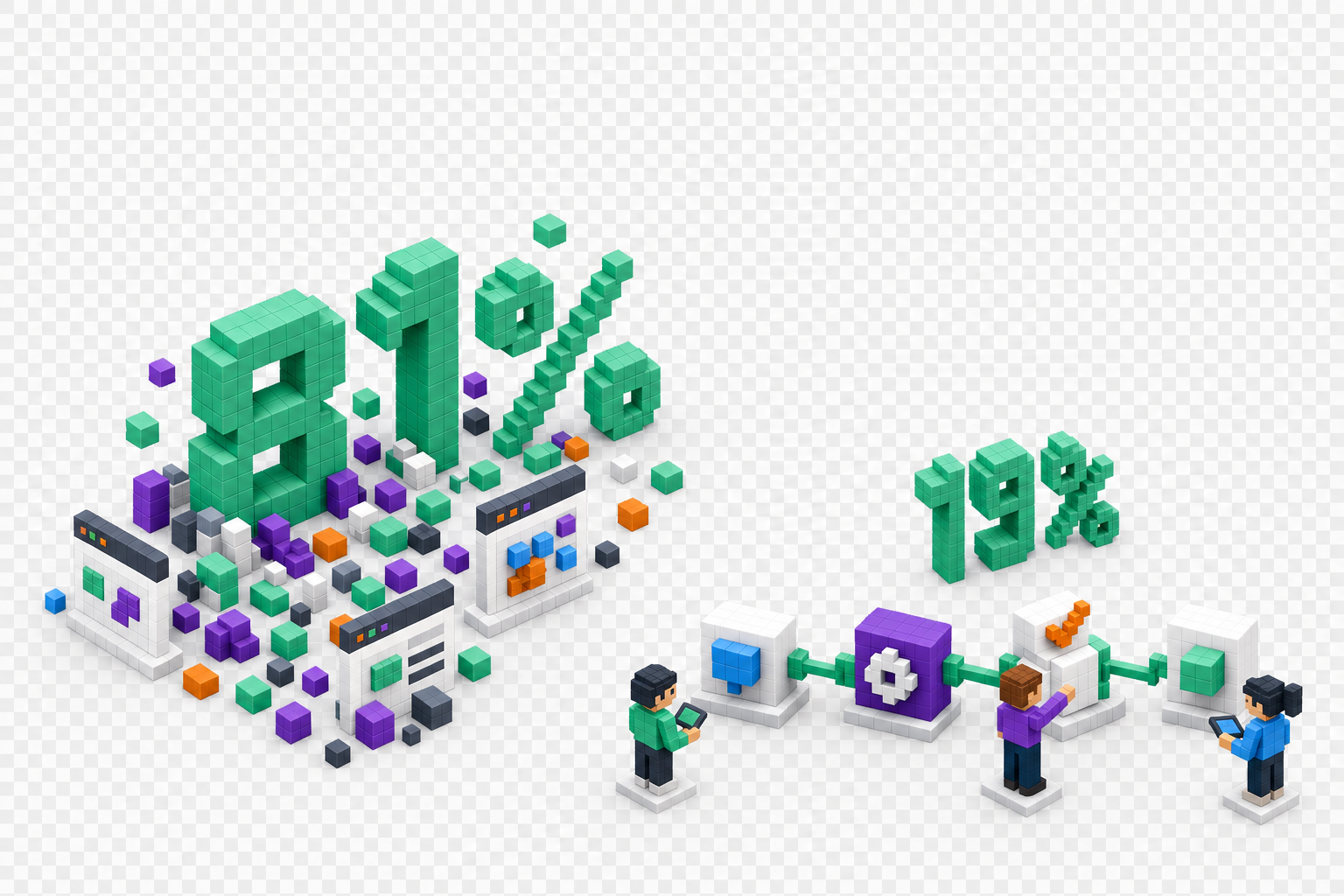
Agency project management software is not usually the first thing people think about when they see this number. They think the problem is technology. It isn’t.
In Statistics Canada’s Q2 2026 Canadian Survey on Business Conditions, 80.8% of Canadian businesses said they had not used AI to produce goods or deliver services in the previous 12 months. That is four in five businesses.
Now look at the other side of the story. In March 2026, Statistics Canada reported that 35.9% of Canadian workers had used generative AI at work.
So people have adopted AI. Their businesses have not.
The gap is operational. AI lives in a browser tab, outside the workflow, so it never becomes a repeatable business capability. It stays a personal habit instead of becoming part of how work gets delivered.
Agencies make this easy to see. Most have ChatGPT open all day. Most still have no defined AI workflow, no shared brand context, and no reliable approval path before client work ships.
The 81% Isn’t Who You Think It Is
AI adoption tripled, and four in five businesses still are not using it
Business AI adoption is growing. Statistics Canada found that adoption rose from 6.1% in Q2 2024 to 12.2% in Q2 2025, then to 19.2% in Q2 2026.
That is meaningful growth. But the baseline was low, and the definition matters.
The Bank of Canada’s December 2025 Business Leaders’ Pulse survey found that only 8% of businesses use AI significantly in their core operations. Many organizations are experimenting. Far fewer have built AI into the way they deliver work.
Statistics Canada asks whether AI was used to produce goods or deliver services. If a strategist pastes a client brief into ChatGPT, rewrites the result manually, and emails it around for feedback, the agency may not describe that as delivering services with AI.
It is one person working a little faster. It is not yet a business system.
Individual AI use and business adoption are different things
Workers are at 35.9%. Businesses are at 19.2%. The story is in that gap.
For example, a Creative Director using an AI tool to rough out three campaign concepts before a meeting is practicing individual use. It may be useful, but the work lives in one person’s chat history and depends on that person remembering what worked last time.
Business adoption looks different. Every client brief follows the same governed path:
- Research
- Drafting
- Brand and quality review
- Human approval
- Client delivery
That workflow runs the same way whether your best strategist is in the office, on vacation, or working across five active client accounts.
Your team adopted AI a year ago. Your agency did not.
What the Survey Says Is Stopping Them
When Statistics Canada asked businesses about AI adoption barriers in Q2 2026, the answers were not what most headlines would predict.
- 40.0% said AI was not relevant to their goods or services.
- 13.4% cited cybersecurity or privacy concerns.
- 10.6% cited cost.
- 23.0% reported no barriers at all.
Each answer points to the same underlying issue: most organizations have not connected AI to a real operating problem.
“Not relevant” usually means “nobody mapped it to the work”
Forty percent is the biggest number, and it is the easiest one to misread.
Ask a Creative Director whether content production is relevant. Ask about client reporting, revisions, approvals, or keeping six client brand voices distinct across blog posts, social campaigns, and ads. Nobody says those jobs are irrelevant. That work is the agency.
It is also where AI can help most when it is used with the right safeguards.
When an agency owner says AI is not relevant, the real issue is often that nobody has drawn the map showing where AI fits into the work.
A single client blog post may currently pass through a project board, ChatGPT, a writing tool, Canva, Google Docs, and an email chain for approval. AI is already somewhere in that chain. But no one designed the handoffs, so it does not feel like part of the agency’s operations.
Privacy is a fair concern, and it gets solved by design
Cybersecurity and privacy concerns are legitimate. Agencies work with client information, campaign plans, unpublished content, internal reporting, and brand materials that should not be scattered across unmanaged personal accounts.
The answer is not pretending the risk does not exist. The answer is designing for it.
Unmanaged AI creates risk:
- Client information copied into personal tool accounts
- No shared record of what was generated
- No clear ownership of review and approval
- No consistent client-specific rules for brand voice or sensitive topics
A designed workflow creates accountability. It gives your team a clear place for client context, controlled handoffs, documented reviews, and an approval trail.
Governance and AI are not opposites. Unmanaged AI is the risk.
Nearly a quarter have no barrier at all
This is the number that gets ignored. Twenty-three percent of businesses reported no barrier to AI adoption. They simply have not started.
You probably know this agency owner. They have read the articles. Their team already uses AI. They know the opportunity is real. But nobody has had time to create a working system because everyone is busy delivering client work.
That is inertia, and inertia is an operations problem.
A strategy deck will not fix it. A designed workflow will.
The Real Barrier Is That Nobody Designed the Workflow
The copy-paste tax
Picture Julie. She is an illustrative composite, but if you run a small agency, you have met her. Sometimes she is your coordinator. Sometimes she is your most junior account executive. Sometimes she is you.
At 9 AM, she pastes a client brief into ChatGPT. Then she rewrites the output because it sounds generic.
At 10 AM, she opens a different tool for the blog draft and fixes the headings. In the afternoon, she writes social posts in Canva with no brand voice file, guessing from last month’s posts. By 3:30, she emails everything out for approval and waits through a six-reply thread before someone finally writes, “Looks good.”
AI touches every deliverable in that day. Julie is still the glue.
She is human middleware, carrying output from one tool to the next, reformatting work, re-entering context, and chasing approvals.
That agency might tell Statistics Canada it has not adopted AI. In a meaningful way, that is true. It has subscriptions, but it does not have a system.
Tools without agency process management do not add up
Research on adoption points in one direction. According to the Canadian Chamber of Commerce, citing Statistics Canada data, the most common changes among businesses that adopted AI were:
- Developing new workflows: 40%
- Training current staff to use AI: 39%
Successful adopters did not just buy tools. They changed how work moves.
KPMG Canada surveyed 753 business leaders in 2025, and only 2% said they were already seeing a return on their generative AI investments. That is difficult to fix when AI was never connected to the way work is actually delivered.
Infrastructure over magic. The gains do not come from finding a smarter model. They come from orchestration, clear handoffs, reusable client context, and quality control.
Where agency operations software fits
This is the job agency operations software is meant to do. It should not become one more tab your team has to manage. It should connect the steps that already happen.
For Operations Managers, the test is simple. Strong agency workflow software gives you one place where client brand context lives, where work moves from one stage to the next, and where nothing reaches a client without a named person approving it.
Traditional agency project management software tracks that a task is due. An agency operations management platform shapes how the work gets done: who drafts it, which brand rules guide it, where it gets reviewed, and who signs off.
What Workflow-First AI Adoption Looks Like Inside an Agency
The brief comes in once. The account lead adds the brief to the client profile. That profile includes the audience, brand voice, banned phrases, preferred sign-off, and relevant background. Nobody pastes the same context into five tools.
Kiki researches. The research Workalong identifies keywords, questions people are asking, and useful competitive angles. The work stays connected to that client’s profile.
Sage drafts. The writing Workalong uses the research and the client’s brand context. The client’s preferred sign-off is already there because it belongs in the profile, not in someone’s memory.
The brand check happens before a human sees it. The draft is checked against the client’s voice rules so the reviewer can focus on judgment rather than hunting for typos, generic phrasing, or off-brand language.
A human approves it. Every time. The draft enters an approval queue with the research, brand-check notes, and revision history attached. The Creative Director can approve it, edit it, or send it back with comments. Nothing reaches the client without a human sign-off.
Then it goes to the client. Client feedback returns to the same deliverable. There is no six-reply email thread and no guessing which document is final.
Look at what changed. The tools did not suddenly become smarter.
The work got a path.
What changes for the Creative Director
Your job moves from fixing to judging.
Today, you may spend part of every day catching wrong client names, off-brand wording, invented facts, and tone that sounds nothing like the client. When brand context is built into the workflow and the brand check runs first, your review time goes to the questions that need your experience:
- Is this the right angle?
- Is this strategically useful for the client?
- Is this the idea we want to put the client’s name on?
Your team becomes the strategy layer. Workalongs handle the repeatable execution.
What changes for the Operations Manager
You get a record.
Every deliverable shows who briefed it, what client context guided it, what checks were completed, and who approved it. When a client asks why something shipped the way it did, you have an answer instead of an inbox search.
You also get a capacity number you can trust. When handoffs are designed, you can see where work actually slows down. That helps you decide whether the next client requires a new hire or a better workflow.
Where to start this week
You do not need to redesign the entire agency. Pick one recurring deliverable, such as a monthly client blog post or weekly social content batch, and do four things:
- Map it. Write down every tool and person the work touches from brief through client approval. Count the copy-paste steps.
- Write the brand profile down. If a client’s voice lives only in someone’s head, you have found your first point of failure.
- Name the approval gate. Decide who signs off, at which step, before work leaves the building.
- Cost the current version. Multiply the hours per deliverable by your blended hourly rate. Most agency owners have never done this math.
If you would rather not do the calculation on a napkin, see how Workilo helps agencies run connected, human-approved workflows.
Canadian Businesses Are Not Behind on Technology
Most of the 81% already have access to the technology. Their people use it every day.
What they do not have is a designed way for AI to move through the work, with client context carried forward and a human signing off at the end.
That is why agency project management software alone is not enough. Agencies need an operating system for client work: a workflow that connects research, drafting, quality control, approvals, and delivery without forcing a coordinator to become the bridge between every tool.
The next Statistics Canada survey will ask businesses the same question.
Your team has already answered it.
Has your agency?
See how Workilo helps agencies turn scattered AI activity into connected client workflows.