Category: Agency Operations

  • Human Middleware: 5 Agency Workflow Bottlenecks to Fix

    Human middleware: 5 warning signs your agency needs AI workflow automation

    Multi-screen creative agency workspace showing a connected digital workflow

    Picture your coordinator’s afternoon. They copy a draft out of ChatGPT and into a Google Doc. They paste the client’s tone notes into another tool so the social captions match. They reformat the whole thing and email it to you for approval, where it lands in a thread already six replies deep.

    That is four tools and a lot of careful work, with no strategy anywhere in it.

    When a person spends the day moving text from one tool to another, they are doing a job software should do. Engineers call that job middleware. In most agencies, it is a person. Sometimes it is the coordinator. On bad weeks, it is you. Either way, you are paying senior wages for middleware.

    Your coordinator is not failing. Nobody designed the workflow. Adding another AI tool rarely helps because it creates one more place where someone has to explain the client from scratch. AI workflow automation should close that gap. For many small agencies, it has not.

    Here are five symptoms. Count how many you recognize.

    What “human middleware” actually means in an agency

    Team mapping a technology workflow with diagrams on a whiteboard

    The job nobody hired for

    Middleware is the software layer that lets separate systems pass information to each other. In a lot of 4- to 16-person agencies, that layer is a person.

    Look at a typical stack:

      • ChatGPT or Jasper for drafts
      • Canva for graphics
      • Grammarly for cleanup
      • Google Docs for collaboration
      • Email for approvals
      • Meta Ads Manager for campaign data
      • A scheduling tool for publishing
      • A WordPress login for every client site

      Each tool does its job. None of them knows what the others know. Someone carries the context by hand, tab to tab and client to client.

      Why the bill is bigger than it looks

      Every handoff costs minutes and context. The minutes are annoying. Losing context is expensive, because every time a brief gets re-pasted, a little of the client’s nuance falls away.

      There is an irony we see often. Agency owners can quote a client’s ROAS to two decimal places, yet many have never put a number on the labor behind their own monthly report. They measure client results carefully and rarely measure their own operations.

      The symptoms usually show up before anyone names the cause.

      Sign 1: Campaigns launch weeks late, and nobody can say exactly why

      Where the days go

      A late campaign rarely comes from one disaster. It comes from 40 small waits.

      The draft waits for a reformat. The reformat waits for brand notes. The brand notes wait on whoever remembers them. The approval sits in an inbox under a subject line nobody can find.

      Each wait looks reasonable on its own. Added up, they push the launch back by weeks, and nobody can point to the moment it slipped.

      The quick diagnostic

      Pick your last campaign and ask two questions:

      • How many tools did it touch between brief and launch?
      • How many times did someone paste the brief again?

      If the second number is bigger than the first, you have found the drag.

      Sign 2: Client reports are assembled by hand every month

      Person writing notes on an office calendar for monthly planning

      The retainer does not cover the report

      Month-end looks the same at a lot of agencies. Someone pulls exports from Meta Ads Manager, screenshots charts, writes commentary on what changed, and formats it into the client’s template. Then they do it again for the next client, and the one after that.

      Most retainers price the campaign work. Fewer price the hours spent explaining it. The report becomes unbilled time that grows with every client you sign.

      We will not guess at your number because it varies from shop to shop. Work it out instead:

      • How many hours did last month’s reports take?
      • How many clients received one?
      • How does that total compare with what your retainers cover?

      Why reporting is the canary

      Reporting is often where the bottleneck shows up first, and it is one of the easier places to fix. The work repeats on a schedule, follows rules, and can be checked against source data.

      That makes it a strong candidate for AI workflow automation, with a human sign-off before anything reaches the client.

      Sign 3: Every draft needs re-briefing in every tool

      Prompt fatigue is a workflow problem

      Every new chat window starts out knowing nothing about the client. So every session opens the same way: paste the voice notes, the words this client never uses, the correctly spelled product names, and a description of the audience. Then open the next tool and do it again.

      That is slow, but drift costs more. After a few weeks of copy-pasted context, Client A starts sounding a little like Client B. Then a silent failure gets through:

      • The wrong client name in a draft
      • A tone that is slightly off
      • A claim nobody can support
      • A sentence your client would never say

      These mistakes cost trust. They slip past because a busy reviewer is reading for typos, not voice.

      If you have typed “remember, this client never says ‘synergy’” more than twice this week, you have become the brand guide.

      The diagnostic

      Ask where each client’s brand voice actually lives.

      If the answer is “in a file every tool reads,” you are in good shape. If it is “in Jess’s head” or “somewhere in that Google Doc,” your AI content workflow runs on memory. Memory gets worse with every client you add.

      Sign 4: The founder reviews everything because nobody trusts the output

      You built a job, not a business

      In many small agencies, every deliverable crosses the founder’s desk before it goes out. The team is talented. The trouble is that output arrives uneven, and the founder is the only person who holds the full picture of every client.

      Our Agency Alex persona has a line that sums this up: “I spend more time reviewing work than I used to spend doing it myself.” This is illustrative, not a customer quote.

      Keep the approval step. Approval is where your judgment goes in. You decide whether the angle is right, whether the claim is defensible, and whether this is the right message for this client. Only you can make those calls.

      The bottleneck starts when approval turns into rescue. You are rewriting the tone, fixing names, and rebuilding the argument from paragraph two. At that point, the founder is the most expensive middleware in the building.

      What good review looks like

      A draft should reach you ready for a decision, not a rewrite.

      That changes the coordinator’s job, too. They stop producing every piece and passing it up for repairs. They review and route work that already carries the client’s voice. That is a much better use of a good person.

      Sign 5: Your team is tired in a way a long weekend will not fix

      Warmly lit evening workspace with desk lamp and office equipment

      Burnout from friction, not hard problems

      Hard creative problems wear people out, but they give something back. Cracking a positioning problem for a client feels good.

      The burnout here comes from repetition: the same paste, the same reformat, the same reminder, dozens of times a week. It drains people and gives nothing back. A long weekend does not fix it because Monday brings the same queue.

      Agency Alex puts it plainly: “My team is burned out. I’m burned out. But we can’t turn down good business.” Again, that is an illustrative persona quote.

      This is where the bottleneck becomes a business problem. When the team is full, the next client leaves you with a short list:

      • Hire before you are ready
      • Turn down good business
      • Keep going until something breaks

      If nobody chooses, the third option tends to happen on its own.

      Count your symptoms

      Self-check

      Answer yes or no.

      1. Have campaigns launched late this quarter without one clear cause?
      2. Are client reports still put together by hand every month?
      3. Does someone re-paste brand notes into each tool for every draft?
      4. Does every deliverable need the founder’s review, and often a rewrite?
      5. Is your team tired in a way that time off does not fix?

      The scoring is entirely unscientific.

      • One or two yeses: friction.
      • Three or four: bottleneck.
      • All five: you are the middleware.

      How AI workflow automation removes the middleware

      Connected workflow versus more tools

      Most agencies already pay for capable AI. The trouble is that AI content tools produce outputs, and someone still has to move those outputs along.

      AI workflow automation handles the steps between them. It carries the brief, research, and client voice from one stage to the next, so nobody has to type them again.

      That is the test for any AI workflow automation for marketing agencies: do research, drafting, optimization, and approval share the same context?

      If they do, the handoffs shrink. If each step starts from a blank prompt, you bought a faster tab and kept the same coordinator job.

      12 Workalongs, one brand voice file

      That is the problem we built Workilo to solve.

      Workilo has 12 specialized Workalongs, each built for a specific job. They read from the same brand voice file for each client. We call it Brand Brain. It holds each client’s tone, terminology, and messaging rules, so nothing needs re-explaining between steps.

      • Kiki researches the keywords and competing pages.
      • Sage drafts from Kiki’s research in the client’s voice.
      • Your strategist reviews the draft, makes the judgment calls, and approves it.
      • The approved work moves toward publishing.

    Your team becomes the strategy layer. The Workalongs handle execution. Nothing ships to a client without your approval.

    A model workflow: from 8-hour blog posts to 45-minute ones

    In the old process, keyword research takes about two hours. A first draft takes another two. SEO optimization adds an hour and a half. Then come editor review, a header image, and publishing to WordPress. That adds up to about eight hours, and almost every step starts with someone catching up on what came before.

    In the Workilo model workflow, Kiki handles research in about 15 minutes. Sage drafts from that research in about 20. Your strategist spends about 10 minutes reviewing and approving. The sequence takes about 45 minutes.

    Look at where the time went. Nobody typed faster. The time came back because the re-briefing, reformatting, and waiting were removed. The parts that need a person, including review and judgment about what is right for the client, remain in the process.

    Source: Workilo Agency Alex workflow example. This is an illustrative model workflow, not a customer result.

    Your coordinator was never the problem

    Go back to that afternoon of copying, pasting, and reformatting. The person doing it is not the weak link. They are carrying context between tools that cannot carry it themselves.

    AI workflow automation gives agencies a way to remove that work without removing the human judgment their clients hired them for.

    Count your symptoms. If you got to three, start a Workilo trial and run one real client deliverable through the workflow. See where the handoffs disappear, and put your team back on the work that actually needs them.
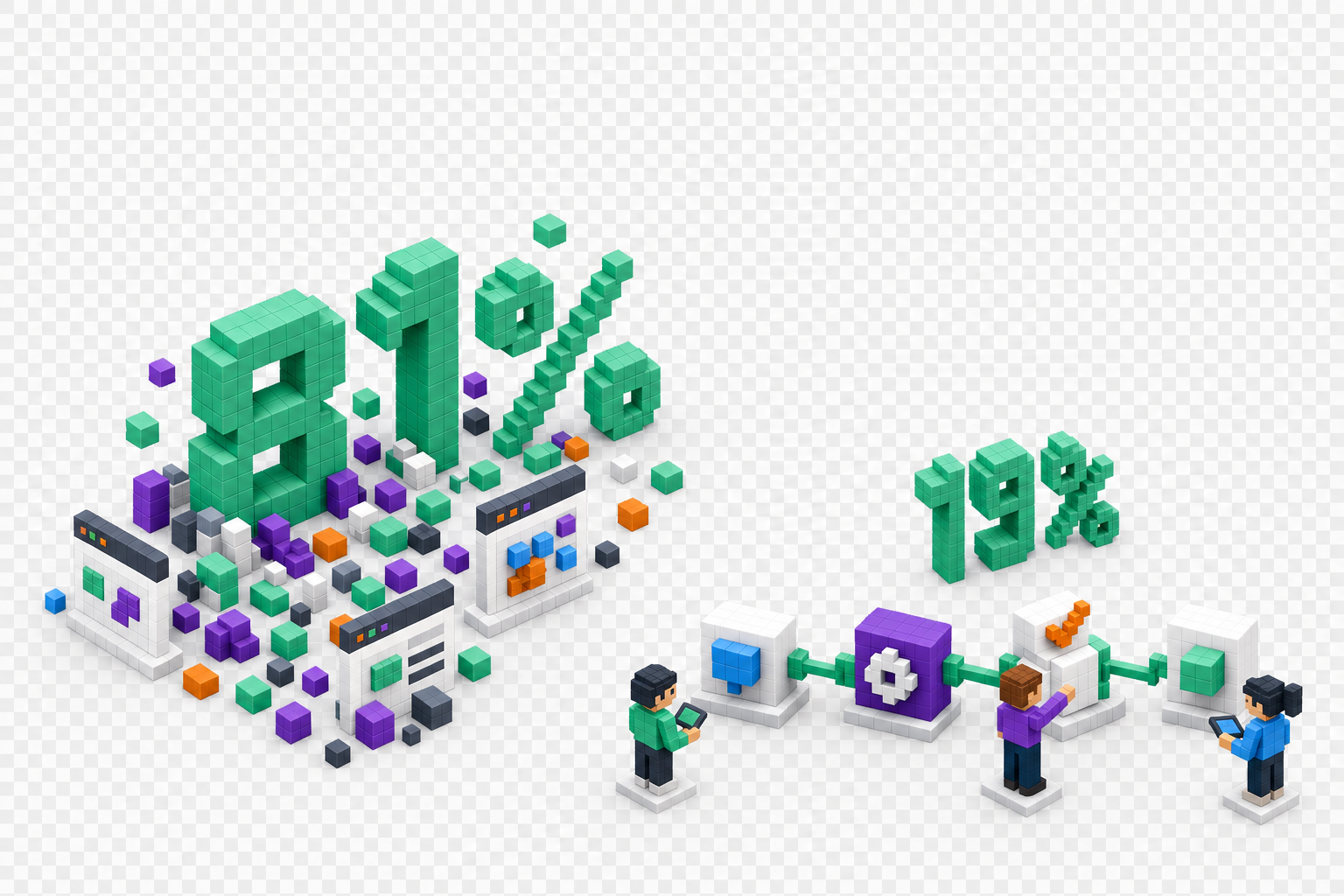

  • Why 81% of Canadian Businesses Haven’t Adopted AI Yet

    workilo blog 81 percent gap v01.png

    Agency project management software is not usually the first thing people think about when they see this number. They think the problem is technology. It isn’t.

    In Statistics Canada’s Q2 2026 Canadian Survey on Business Conditions, 80.8% of Canadian businesses said they had not used AI to produce goods or deliver services in the previous 12 months. That is four in five businesses.

    Now look at the other side of the story. In March 2026, Statistics Canada reported that 35.9% of Canadian workers had used generative AI at work.

    So people have adopted AI. Their businesses have not.

    The gap is operational. AI lives in a browser tab, outside the workflow, so it never becomes a repeatable business capability. It stays a personal habit instead of becoming part of how work gets delivered.

    Agencies make this easy to see. Most have ChatGPT open all day. Most still have no defined AI workflow, no shared brand context, and no reliable approval path before client work ships.

    The 81% Isn’t Who You Think It Is

    AI adoption tripled, and four in five businesses still are not using it

    Business AI adoption is growing. Statistics Canada found that adoption rose from 6.1% in Q2 2024 to 12.2% in Q2 2025, then to 19.2% in Q2 2026.

    That is meaningful growth. But the baseline was low, and the definition matters.

    The Bank of Canada’s December 2025 Business Leaders’ Pulse survey found that only 8% of businesses use AI significantly in their core operations. Many organizations are experimenting. Far fewer have built AI into the way they deliver work.

    Statistics Canada asks whether AI was used to produce goods or deliver services. If a strategist pastes a client brief into ChatGPT, rewrites the result manually, and emails it around for feedback, the agency may not describe that as delivering services with AI.

    It is one person working a little faster. It is not yet a business system.

    Individual AI use and business adoption are different things

    Workers are at 35.9%. Businesses are at 19.2%. The story is in that gap.

    For example, a Creative Director using an AI tool to rough out three campaign concepts before a meeting is practicing individual use. It may be useful, but the work lives in one person’s chat history and depends on that person remembering what worked last time.

    Business adoption looks different. Every client brief follows the same governed path:

    • Research
    • Drafting
    • Brand and quality review
    • Human approval
    • Client delivery

    That workflow runs the same way whether your best strategist is in the office, on vacation, or working across five active client accounts.

    Your team adopted AI a year ago. Your agency did not.

    What the Survey Says Is Stopping Them

    When Statistics Canada asked businesses about AI adoption barriers in Q2 2026, the answers were not what most headlines would predict.

    • 40.0% said AI was not relevant to their goods or services.
    • 13.4% cited cybersecurity or privacy concerns.
    • 10.6% cited cost.
    • 23.0% reported no barriers at all.

    Each answer points to the same underlying issue: most organizations have not connected AI to a real operating problem.

    “Not relevant” usually means “nobody mapped it to the work”

    Forty percent is the biggest number, and it is the easiest one to misread.

    Ask a Creative Director whether content production is relevant. Ask about client reporting, revisions, approvals, or keeping six client brand voices distinct across blog posts, social campaigns, and ads. Nobody says those jobs are irrelevant. That work is the agency.

    It is also where AI can help most when it is used with the right safeguards.

    When an agency owner says AI is not relevant, the real issue is often that nobody has drawn the map showing where AI fits into the work.

    A single client blog post may currently pass through a project board, ChatGPT, a writing tool, Canva, Google Docs, and an email chain for approval. AI is already somewhere in that chain. But no one designed the handoffs, so it does not feel like part of the agency’s operations.

    Privacy is a fair concern, and it gets solved by design

    Cybersecurity and privacy concerns are legitimate. Agencies work with client information, campaign plans, unpublished content, internal reporting, and brand materials that should not be scattered across unmanaged personal accounts.

    The answer is not pretending the risk does not exist. The answer is designing for it.

    Unmanaged AI creates risk:

    • Client information copied into personal tool accounts
    • No shared record of what was generated
    • No clear ownership of review and approval
    • No consistent client-specific rules for brand voice or sensitive topics

    A designed workflow creates accountability. It gives your team a clear place for client context, controlled handoffs, documented reviews, and an approval trail.

    Governance and AI are not opposites. Unmanaged AI is the risk.

    Nearly a quarter have no barrier at all

    This is the number that gets ignored. Twenty-three percent of businesses reported no barrier to AI adoption. They simply have not started.

    You probably know this agency owner. They have read the articles. Their team already uses AI. They know the opportunity is real. But nobody has had time to create a working system because everyone is busy delivering client work.

    That is inertia, and inertia is an operations problem.

    A strategy deck will not fix it. A designed workflow will.

    The Real Barrier Is That Nobody Designed the Workflow

    The copy-paste tax

    Picture Julie. She is an illustrative composite, but if you run a small agency, you have met her. Sometimes she is your coordinator. Sometimes she is your most junior account executive. Sometimes she is you.

    At 9 AM, she pastes a client brief into ChatGPT. Then she rewrites the output because it sounds generic.

    At 10 AM, she opens a different tool for the blog draft and fixes the headings. In the afternoon, she writes social posts in Canva with no brand voice file, guessing from last month’s posts. By 3:30, she emails everything out for approval and waits through a six-reply thread before someone finally writes, “Looks good.”

    AI touches every deliverable in that day. Julie is still the glue.

    She is human middleware, carrying output from one tool to the next, reformatting work, re-entering context, and chasing approvals.

    That agency might tell Statistics Canada it has not adopted AI. In a meaningful way, that is true. It has subscriptions, but it does not have a system.

    Tools without agency process management do not add up

    Research on adoption points in one direction. According to the Canadian Chamber of Commerce, citing Statistics Canada data, the most common changes among businesses that adopted AI were:

    • Developing new workflows: 40%
    • Training current staff to use AI: 39%

    Successful adopters did not just buy tools. They changed how work moves.

    KPMG Canada surveyed 753 business leaders in 2025, and only 2% said they were already seeing a return on their generative AI investments. That is difficult to fix when AI was never connected to the way work is actually delivered.

    Infrastructure over magic. The gains do not come from finding a smarter model. They come from orchestration, clear handoffs, reusable client context, and quality control.

    Where agency operations software fits

    This is the job agency operations software is meant to do. It should not become one more tab your team has to manage. It should connect the steps that already happen.

    For Operations Managers, the test is simple. Strong agency workflow software gives you one place where client brand context lives, where work moves from one stage to the next, and where nothing reaches a client without a named person approving it.

    Traditional agency project management software tracks that a task is due. An agency operations management platform shapes how the work gets done: who drafts it, which brand rules guide it, where it gets reviewed, and who signs off.

    What Workflow-First AI Adoption Looks Like Inside an Agency

    The brief comes in once. The account lead adds the brief to the client profile. That profile includes the audience, brand voice, banned phrases, preferred sign-off, and relevant background. Nobody pastes the same context into five tools.

    Kiki researches. The research Workalong identifies keywords, questions people are asking, and useful competitive angles. The work stays connected to that client’s profile.

    Sage drafts. The writing Workalong uses the research and the client’s brand context. The client’s preferred sign-off is already there because it belongs in the profile, not in someone’s memory.

    The brand check happens before a human sees it. The draft is checked against the client’s voice rules so the reviewer can focus on judgment rather than hunting for typos, generic phrasing, or off-brand language.

    A human approves it. Every time. The draft enters an approval queue with the research, brand-check notes, and revision history attached. The Creative Director can approve it, edit it, or send it back with comments. Nothing reaches the client without a human sign-off.

    Then it goes to the client. Client feedback returns to the same deliverable. There is no six-reply email thread and no guessing which document is final.

    Look at what changed. The tools did not suddenly become smarter.

    The work got a path.

    What changes for the Creative Director

    Your job moves from fixing to judging.

    Today, you may spend part of every day catching wrong client names, off-brand wording, invented facts, and tone that sounds nothing like the client. When brand context is built into the workflow and the brand check runs first, your review time goes to the questions that need your experience:

    • Is this the right angle?
    • Is this strategically useful for the client?
    • Is this the idea we want to put the client’s name on?

    Your team becomes the strategy layer. Workalongs handle the repeatable execution.

    What changes for the Operations Manager

    You get a record.

    Every deliverable shows who briefed it, what client context guided it, what checks were completed, and who approved it. When a client asks why something shipped the way it did, you have an answer instead of an inbox search.

    You also get a capacity number you can trust. When handoffs are designed, you can see where work actually slows down. That helps you decide whether the next client requires a new hire or a better workflow.

    Where to start this week

    You do not need to redesign the entire agency. Pick one recurring deliverable, such as a monthly client blog post or weekly social content batch, and do four things:

    1. Map it. Write down every tool and person the work touches from brief through client approval. Count the copy-paste steps.
    2. Write the brand profile down. If a client’s voice lives only in someone’s head, you have found your first point of failure.
    3. Name the approval gate. Decide who signs off, at which step, before work leaves the building.
    4. Cost the current version. Multiply the hours per deliverable by your blended hourly rate. Most agency owners have never done this math.

    If you would rather not do the calculation on a napkin, see how Workilo helps agencies run connected, human-approved workflows.

    Canadian Businesses Are Not Behind on Technology

    Most of the 81% already have access to the technology. Their people use it every day.

    What they do not have is a designed way for AI to move through the work, with client context carried forward and a human signing off at the end.

    That is why agency project management software alone is not enough. Agencies need an operating system for client work: a workflow that connects research, drafting, quality control, approvals, and delivery without forcing a coordinator to become the bridge between every tool.

    The next Statistics Canada survey will ask businesses the same question.

    Your team has already answered it.

    Has your agency?

    See how Workilo helps agencies turn scattered AI activity into connected client workflows.

  • Integration Management Costs: Your Agency’s Hidden Bill

    Nobody puts “human middleware” on the org chart. Every agency has one anyway.

    Here’s what the job looks like: a client brief lands in Slack. Someone copies it into a Google Doc, rewrites it into a prompt, pastes the output back, and reformats it for the scheduler. Then they read the whole thing again before it goes to the client, because nobody trusts what came out of the last tool.

    None of that work is billable, and none of it appears on your software bill. These are integration management costs, and they may be the largest expense your agency has never budgeted for. You do not pay them with an invoice. You pay them in hours.

    That person is often you.

    You already pay for integration. You just pay in hours.

    Most agency owners think they have avoided integration costs because they never hired a developer to connect their tools. But without developer-built connections, the integration is still happening. A person is doing it by hand.

    What integration management costs actually include

    Some of the cost is visible:

    • Software subscriptions
    • Connector tools
    • Setup time
    • Automation fixes when an app changes

    The rest is invisible. It is the labor of moving work between tools. Copying, pasting, reformatting, re-explaining, and re-checking are all integration work, even when nobody calls them that.

    You know the visible number because it arrives on your credit card statement each month. The invisible number is usually bigger, and almost nobody tracks it.

    Why it never shows up on the P&L

    This work gets filed under “coordination,” “admin,” or “just how we do things here.” It is spread across a dozen people in five-minute pieces, so it never looks like a single cost anyone could cut.

    Agency owners can quote a client’s ROAS to two decimal places, but many have never worked out the labor cost of producing the report that shows it.

    What you never measure, you cannot manage.

    Follow one deliverable from brief to client

    Abstract costs are easy to ignore. Specific ones are not, so let’s follow a single blog post through a typical small-agency stack.

    The real path of one blog post

    1. The brief arrives in Slack, or sometimes in an email thread, or in both.
    2. A coordinator pastes the brief into ChatGPT, then pastes in the client’s brand voice notes because ChatGPT does not remember them.
    3. The draft is copied into Google Docs.
    4. The text is run through Grammarly, and the corrections are moved back into Docs.
    5. Someone opens Canva, builds a header image, and exports it.
    6. The post gets reformatted for WordPress or the client’s scheduling tool.
    7. The draft goes to the client for approval through an email thread that reaches six replies.
    8. The client’s changes are copied back into the document, and the formatting starts over.

    Count the handoffs. Each one is a point where a person moves work by hand from one system to another. We will put a price on them shortly.

    Where re-explaining happens

    Every tool in that chain starts from zero. ChatGPT does not know what Grammarly changed. Canva has never seen the brief. The scheduler cannot tell which version the client approved.

    So the context gets supplied again at every step. The brand voice goes in again, along with the client’s banned words. “Remember, they never say ‘solutions’” gets typed for the fourth time this month.

    That is where voice drift starts. Nobody on the team is doing anything wrong. The process was never designed as a connected workflow. It is a collection of tools held together by whoever has the most patience.

    Your coordinator is not failing. Nobody designed the workflow.

    The costs you do not see on the invoice

    Integration management costs show up in four places. Only one of them is time.

    Unbilled coordinator time

    Every manual handoff costs a paid hour, or part of one, and your retainer does not cover it. Your clients pay for strategy, content, and results. They do not pay for the minutes your team spends moving a paragraph between browser tabs.

    For a small agency, this matters. If a typical retainer is around $1,500 a month, a few hours of unbilled handoff work each week across your client list can absorb the margin on an entire account.

    The client looks profitable on paper, and the real cost sits inside your payroll.

    Voice drift and rework

    When no single brand voice file feeds every tool, each tool produces a slightly different version of your client. One draft is too formal, another too casual, and the social captions sound like a different company.

    Fixing that gets called “editing.” Usually, it is rework caused by context getting lost between tools.

    Silent errors

    This is the cost that keeps founders up at night. The wrong client name gets carried over from last week’s prompt. The tone is wrong for a regulated industry. An invented statistic gets through because the reviewer was checking grammar, not facts.

    Errors like these make the senior partner review everything by hand. That adds another layer of middleware, at the highest hourly rate in the building.

    The capacity ceiling

    Add all of this up and you hit a ceiling. You cannot take on another client without hiring, because the team’s hours already go to moving work around rather than doing the work clients value.

    That is when someone says, “We need another coordinator.”

    Often, that means paying a salary to absorb a problem the workflow created.

    Calculate what middleware costs your agency

    You do not need a consultant for this. You need four numbers and about 20 minutes.

    The four numbers you need

    1. Handoffs per deliverable. Pick your most common deliverable and count every point where someone copies, pastes, reformats, re-explains, or manually checks something.
    2. Minutes per handoff. Include finding the right file, switching tabs, and the quick re-read before moving on.
    3. Deliverables per month. Count them across all clients.
    4. Loaded hourly cost. Use the full hourly cost of the person doing the handoffs, including benefits and overhead, not just salary.

    Then run the math:

    Handoffs × minutes × deliverables per month ÷ 60 × hourly cost = your monthly middleware bill

    A worked example

    These numbers are hypothetical, so replace them with your own.

    Say a deliverable has eight handoffs, each taking about six minutes. That is 48 minutes of pure coordination per piece.

    Multiply that by 60 deliverables a month and you get 48 hours, more than a full working week every month.

    At a loaded cost of $35 an hour, that is $1,680 a month. On those assumptions, your middleware costs more than a typical client retainer brings in.

    You may get a smaller number, or a much larger one. In either case, you will finally have a number. Most agencies have never had one.

    What workflow automation software should actually fix

    Once you have done the math, the obvious response is to buy workflow automation software. That is a reasonable instinct, but the category is broad, and most options solve a different problem from the one you just measured.

    Connector tools move data from one app to another. That helps with simple handoffs, such as creating a CRM record after a form submission.

    But content work needs more than data movement. It needs context:

    • The client’s voice
    • The original brief
    • Banned words and messaging rules
    • Approved source material
    • The version the client approved

    If a connector carries text from ChatGPT into Google Docs, it moves the words. It does not necessarily carry the context. Someone still has to supply it again and check the result.

    Look for shared context, not more connections

    The test is simple: does every step in the workflow already know who the client is and how they sound?

    If the answer is no, you have automated the copying and kept the re-explaining.

    That is the gap Workilo was built to close. Instead of five separate tools, specialized Workalongs work inside one platform and share the same brief and brand profile.

    Kiki handles keyword research. Sage drafts from Kiki’s research, so nobody has to paste it into another system. The client’s brand voice can feed every step, so the draft does not need translating back into the client’s language.

    Keep approval in the workflow

    Faster output is not worth much if you cannot trust it. Clients do not pay you to produce more. They pay you for work that sounds like them and gets the facts right.

    So the workflow should end with a person.

    In Workilo, nothing leaves without your approval. Your team stops carrying work between tools and starts reviewing finished drafts against the brief. That is a much better use of a senior person’s hour than finding the wrong client name in paragraph four.

    What changes when the middleware disappears

    Let’s go back to the blog post from earlier, this time with an illustrative example rather than a customer case study.

    Picture Alex, who runs a 12-person agency and is stuck at eight clients. Under the old process, her coordinator spends the day carrying briefs, drafts, and edits between six tools. Alex reviews everything at night because she does not trust what reaches her.

    In a connected workflow, the brief goes in once. Research, drafting, and optimization happen in the same place, with the same brand profile. The coordinator’s job changes from producing the work to reviewing it. Alex sees an approval queue instead of an inbox full of six-reply email threads.

    Nobody gets replaced. The hours that went into moving work around can go into:

    • Strategy
    • Client relationships
    • Creative direction
    • Higher-value review
    • The next account Alex had been turning down

    What to keep human

    Some work should stay human-led no matter how good the tools get:

    • Strategy and creative direction
    • Client relationships and difficult conversations
    • Final approval on anything that goes out under a client’s name
    • Judgment calls on tone, timing, and sensitive subjects

    Workalongs take on execution, and your team becomes the strategy layer. Get that split right and the capacity ceiling moves.

    Find your number, then decide what it should buy

    Before you look at another software subscription, work out how many coordinator hours your team spent on copy-paste work last month.

    Count the handoffs. Use real minutes. Multiply by what those hours actually cost you.

    Then see how Workilo can help your agency replace manual handoffs with a connected, approval-controlled workflow.

    Integration management costs do not go away when you ignore them. Your team keeps paying them, one paste at a time.

    Somebody at your agency is doing the integrating. Make sure it is on purpose.

  • Increase Team Capacity Without Hiring More People

    Laptop glowing in a dark room at night, conveying focused work and limited capacity.
    Photo via Pexels

    Wrong question.

    When a founder hits capacity, the first thing they usually ask is, “Who do we hire next?”

    It feels responsible. But it skips the question that matters more: where are your team’s hours going right now?

    Picture this. It’s 10 PM. You’re finally closing your laptop when a prospect emails asking for a meeting. A year ago, that would have been the best email of your week.

    Now, your first thought is: “Where would we even fit them?”

    Most agencies in this position have plenty of talent. Their problem is coordination. The fastest way to increase team capacity is to remove the manual work that sits between the tasks that need your team’s judgment.

    This guide walks through a capacity audit you can run in an afternoon, four ways to improve your workflow, a practical example, and an honest test for when hiring really is the right call.

    Why hiring feels like the only way to increase team capacity

    Professionals brainstorming with sticky notes on a glass wall in a modern office.
    Photo via Pexels

    The agency capacity ceiling

    You know the pattern.

    The agency runs well at eight clients. You sign a ninth, and something gives:

    • A deadline slips.
    • A draft goes out in the wrong tone.
    • A client approval gets buried in email.
    • Someone on the team spends Saturday catching up.

    That’s the agency capacity ceiling.

    From the inside, it looks like you don’t have enough people. Often, the real issue is that the agency needs too much manual coordination for every client it carries.

    If every new account creates more status checks, copy-paste work, review loops, and approval chasing, hiring can feel inevitable. But before you add payroll, look at the system creating the pressure.

    What a new hire actually buys you

    A new hire does add output. They also add:

    • Recruiting and interviewing time
    • A ramp-up period
    • A permanent payroll commitment
    • More work for managers reviewing drafts and answering questions
    • Another person inheriting the same disconnected workflow

    If the workflow underneath is sound, that can be a good trade.

    If it’s broken, you have paid for a slightly bigger bottleneck.

    The new person still has to move content between tools, chase approvals, and guess at each client’s brand voice. Now there are simply more people doing the same avoidable work.

    Hiring scales whatever system you already have. Make sure the system deserves it first.

    Where your team’s hours actually go

    Workspace with laptop, notebook, sticky notes and planning materials for content work.
    Photo via Pexels

    Take one blog post.

    Here’s how one illustrative model of a typical agency content workflow breaks down. This is Workilo’s internal workflow model, not a measured customer result:

    • About 2 hours of keyword research
    • About 1.5 hours of competitor review
    • About 2 hours drafting
    • About 1 hour of SEO optimization
    • About 1 hour of client revisions
    • About 30 minutes of final edits

    That adds up to roughly eight hours for a single post.

    Look closer, and only a small portion of that process needs senior judgment. The rest is execution, plus the glue work between steps.

    Human middleware

    Most agencies have someone—we’ll call her Julie—whose day is quietly spent moving work around.

    She copies output from ChatGPT into a Google Doc, pastes it into another tool for a rewrite, reformats it for the client, and sends three follow-ups to get an approval.

    Julie isn’t failing. Nobody designed the workflow.

    She is acting as human middleware, and middleware does not scale.

    When you want to increase agency capacity, this is one of the first places to look. Administrative work may feel small in isolation, but it compounds across every client, deliverable, revision, and reporting cycle.

    The senior review bottleneck

    Because nobody fully trusts what comes out the other end, everything flows back to the founder or Creative Director.

    You become the quality filter for every client, every week.

    As one illustrative founder put it: “I spend more time reviewing work than I used to spend doing it myself.”

    If that sounds familiar, your capacity ceiling may be sitting in your own inbox.

    Tool sprawl without a workflow

    Most small agencies already pay for five or more tools. Each one may do its own job well. None of them necessarily share context with the others.

    So every tool starts from zero.

    The brand voice lives in someone’s head or in a PDF nobody opens. Client context gets lost during handoffs. And the voice slowly drifts from one deliverable to the next.

    More tools do not automatically create more capacity. A connected workflow does.

    Run a capacity audit before you post the job

    Before you write a job description, give yourself one afternoon and a spreadsheet.

    The purpose is simple: identify which work needs people and which work only needs a better process.

    Step 1: List every recurring deliverable, per client

    Write down everything you ship on a schedule, including:

    • Blog posts
    • Social posts
    • Ad copy
    • Monthly reports
    • Newsletters
    • SEO audits
    • Client approval rounds

    Approval rounds count. They consume real hours, even when nobody bills for them.

    Step 2: Tag each step as judgment, execution, or handoff

    Break every deliverable into individual steps and give each one a tag.

    Judgment is the work only your people should do:

    • Strategy
    • Creative direction
    • Client conversations
    • Interpreting performance
    • Final approval

    Execution is work that follows a known pattern:

    • Research
    • First drafts
    • SEO optimization
    • Formatting
    • Content repurposing

    Handoff is everything that exists because your tools do not talk to each other:

    • Moving files
    • Copying and pasting
    • Reformatting content
    • Entering the same information twice
    • Chasing people for sign-off

    Step 3: Put a cost on the handoffs

    Most agency founders can quote a client’s ROAS to two decimal places but have never costed the labor behind their own recurring delivery.

    Add up the hours tagged as handoff. Then multiply them by your loaded hourly rate.

    Deliverable Step Type Hours per month
    Client A blog Keyword research Execution
    Client A blog Paste draft into a document and reformat Handoff
    Client A blog Final approval Judgment

    This exercise makes hidden capacity visible.

    Step 4: Decide whether it’s a workflow fix or a hire

    If most of your hours land in execution and handoff, you have a workflow problem. Fix that first.

    If most of them land in judgment, and your senior people are maxed out on strategy, client work, and creative direction, you may genuinely need to hire.

    That is a good problem to have. It means you have already removed the work that should not require a human in the first place.

    Four ways to increase agency capacity without adding headcount

    Laptop covered with colorful sticky notes on a desk, representing a busy workflow.
    Photo via Pexels

    1. Connect the workflow instead of adding another tool

    Stop stitching together five AI tools to complete one deliverable.

    Research, drafting, optimization, approvals, and publishing should run as one connected sequence. Each step should pick up where the last one finished, with the right client context already included.

    That means:

    • No copy-paste between platforms
    • No recreating the brief for every task
    • No manual transfer of research into a writing tool
    • No searching email threads for the latest approval

    Another tool will not fix tool sprawl.

    A connected workflow will.

    2. Give every client a brand profile that feeds every step

    Voice drift happens when every tool has to guess at the brand.

    Create one clear brand profile per client that covers:

    • Brand voice and tone
    • Target audience
    • Preferred language
    • Banned phrases
    • Product facts
    • Required sources or claims rules
    • Core offers and positioning

    Then make sure every workflow step reads from it.

    This is how you catch silent failures before a client does:

    • The wrong client name
    • The wrong tone
    • A claim nobody can verify
    • A draft that sounds generic instead of client-specific

    3. Turn your coordinator from producer into reviewer

    Julie’s job changes.

    She stops moving text between tabs and starts checking the work against the brief, the client’s brand profile, and the quality standard.

    That is a better use of her time. It uses judgment instead of busywork.

    It also helps scale an agency without hiring because the people you already employ spend more time on quality, client relationships, and strategy—not on manual transfer work.

    4. Make human approval the gate, not the bottleneck

    Nothing should ship to a client without your approval. That part should not change.

    What changes is what lands on your desk.

    Instead of reviewing a rough first draft that needs an hour of rewriting, you review work that has already been researched, drafted to the brand profile, and optimized for search.

    Your review becomes a decision, not a rescue operation.

    Your team becomes the strategy layer. The execution runs underneath it.

    A worked example: the eight-client agency

    The following scenario is illustrative, built from Workilo’s Agency Alex persona. It is not a customer case study.

    Alex runs a 12-person agency. They have been stuck at eight active clients for a year.

    Every time they try to take on a ninth, something breaks.

    One client has just asked to move from one blog post a week to two.

    Under the old process, that request means roughly eight more hours a week from a content strategist who is already full. The SEO audit due the same day gets done after dinner. Alex fixes a client deck herself because the designer is booked.

    1. Kiki, Workilo’s SEO research Workalong, handles keyword research and reviews the top-ranking competitors.
    2. Sage drafts the post from Kiki’s research and the client’s brand profile.
    3. The strategist reviews the draft against the brief, edits where needed, and approves.
    4. Only then does the content move to publishing.

    In Workilo’s internal workflow model, that sequence takes about 45 minutes of elapsed time instead of eight hours. The human still owns quality and final approval.

    Your results will depend on your clients, briefs, and editing standards. That is why the audit comes first.

    The goal is not to remove Alex’s team from the work.

    The goal is to free them from moving text between tools so they can spend time on:

    • Strategy
    • Creative direction
    • Client relationships
    • Quality control
    • New-business growth

    Those are the hours that help an agency take on more clients without hiring in a hurry.

    When hiring really is the right call

    Workflow fixes have limits. You should know where they are.

    Hire when your audit shows that judgment work is the constraint.

    If your senior people are fully booked with strategy, client calls, creative direction, and decision-making—and the execution is already running cleanly—you need more people who can think.

    No workflow fixes that.

    Hire when you are adding a capability you do not have, such as:

    • A paid-media specialty
    • A dedicated video lead
    • A new design discipline
    • A senior strategist for a more complex client mix

    And hire when you want to grow your strategy layer.

    That is the healthiest reason to add headcount. You are bringing on people to do the work only people can do, rather than hiring them to absorb a broken process.

    One kind of hire raises your ceiling. The other just makes the room more crowded.

    Increase team capacity by designing a better system

    Most agencies at capacity do not need another pair of hands as much as they need fewer handoffs.

    Run the audit this week:

    1. Tag the hours.
    2. Price the handoffs.
    3. Identify the repeatable execution work.
    4. Protect your team’s judgment for strategy, creative direction, and client relationships.

    You may find a junior hire’s worth of capacity hidden in work that should never have needed a human in the first place.

    If you want to see how a connected workflow with human approval can help you increase team capacity, explore Workilo.

    Your next client may already be in your inbox.

    The only question is whether your workflow has room for them.

    Frequently asked questions

    How can a small agency increase team capacity without hiring?

    Start with a capacity audit. List every recurring deliverable, break it into steps, and tag each step as judgment, execution, or handoff.

    Execution and handoff hours can often be connected, systematized, or removed. Judgment hours are the ones worth protecting.

    Most agencies find their first block of capacity in handoffs: copying, pasting, reformatting, and chasing approvals between tools.

    Is AI going to replace my team?

    Not in the way Workilo is designed.

    Your team sets the strategy, owns client relationships, and approves the work. Workalongs handle repeatable execution steps such as research and first drafts.

    The goal is to move your people out of middleware work and into work that needs their judgment.

    How do I keep each client’s voice consistent?

    Give every client one brand profile and make every step of the workflow read from it.

    That profile should cover voice, audience, banned phrases, product facts, and positioning. Then keep a human approval step before anything ships.

    Consistency comes from shared context plus review. A better prompt alone will not get you there.

    How do I know whether I need a workflow fix or a new hire?

    Look at where your hours land in the audit.

    If most are execution and handoff, fix the workflow first. If your senior people are fully booked with strategy, client work, and creative direction—and execution already runs cleanly—it is time to hire.

    What should an agency automate first?

    Start with the deliverable that repeats most often and involves the most handoffs.

    For many content-focused agencies, that is the blog workflow:

    1. Research
    2. Draft
    3. Optimize
    4. Approve
    5. Publish

    Get one deliverable running end to end for one client. Then expand.

  • AI SEO Content Writing Tool for Agencies | Workilo

    What AI SEO Content Writing Tool Does Both Research and Writing?

    Marketing professionals collaborating around digital data in a modern office
    Photo via Pexels

    The best AI SEO content writing tool does more than generate a draft. It connects keyword research, search intent, writing, review, and approval so your agency can deliver stronger content without adding more manual work.

    The tool isn’t the problem. The seam between research and writing is.

    Picture the setup many agency owners are running right now: Ahrefs or Surfer open in one tab, ChatGPT open in another, a Google Doc somewhere in the middle, and a coordinator copying data back and forth between all three. Nobody designed that workflow. It just accumulated, one subscription at a time, until writing a blog post became a five-tool relay race.

    So let’s skip the generic list of software names. The real question is what an AI SEO content writing tool needs to do if it is going to replace that relay race instead of adding a sixth leg to it.

    Why agency owners keep asking the wrong question

    Most searches for an AI SEO content writing tool assume the fix is a better writer. A smarter model. A tool with a few more SEO features in the sidebar.

    But that is not where the time actually goes.

    The real bottleneck sits in the handoffs:

    • Research happens in one tool.
    • Drafting happens in another.
    • Optimization happens somewhere else.
    • Client comments arrive in email, chat, or a separate document.
    • Someone has to move the context between every step by hand.

    That someone is usually a coordinator, a content lead, or worse, the founder.

    That’s not a tool problem. That’s a workflow problem.

    Every hour spent stitching disconnected tools together is an hour that is not billable, strategic, or sustainable when your agency grows from eight clients to ten, twelve, or fifteen.

    Digital task board and analytics screens representing a connected content workflow
    Photo via Pexels

    What an AI SEO content writing tool actually needs to do

    If you are evaluating tools, skip the inflated feature lists for a moment. Focus on the practical requirements of a system your team can use for real client work.

    Keyword and SERP research should flow into the draft

    Research and writing need to share context. Before a draft begins, the system should understand the target keyword, the search intent behind it, the questions people ask, and the content already competing for attention.

    That means your draft is built around more than a phrase repeated a few times. It has a reason for existing. It answers the kind of question a searcher is actually trying to solve.

    Many AI writing tools produce fluent copy, but they write blind. They can generate paragraphs quickly without knowing whether the reader wants a comparison, a practical workflow, a definition, or a decision-making guide.

    Good SEO content starts with search intent, not a blank prompt.

    Drafting should understand intent, not just follow instructions

    There is a meaningful difference between a tool that follows a prompt and one that understands why someone searched in the first place.

    A prompt-based writer may produce a how-to guide when the reader wanted a product comparison. It may create a broad explanation when the searcher is really looking for a workflow they can apply this week.

    An effective AI SEO content writing tool should help your team connect:

    • The keyword: what the person typed into search.
    • The intent: what they are trying to decide, fix, compare, or accomplish.
    • The audience: who needs the answer and what constraints they face.
    • The outcome: what the page should help them do next.

    For agency owners, that outcome is rarely “write more words.” It is usually something closer to: deliver quality client content faster, keep brand voices distinct, and create enough capacity to say yes to the next good client.

    Brand voice and client context cannot be generic

    This is where the AI writing tool for multiple clients question gets real.

    An agency running eight client accounts cannot use one shared brand voice across all of them. A fintech client and a boutique bakery client should not sound the same. They should not use the same proof points, customer language, or calls to action. And they should never accidentally reference each other’s products or positioning.

    Your workflow needs separate, reliable context for each client, including:

    • Brand voice and writing style
    • Audience and customer pain points
    • Approved messages and terminology
    • Offer details and product facts
    • SEO priorities and content goals
    • Past feedback that should inform future drafts

    That is why a collection of prompts is not the same as a content system. Prompts can help an individual write faster. A structured workflow helps an agency deliver work consistently across multiple client brands.

    A review step must happen before anything reaches a client

    Speed without a checkpoint is how agencies end up on an awkward call explaining a factual error, an off-brand phrase, or an unsupported claim in a published post.

    An AI content approval workflow is not a nice-to-have feature. It is the part of the process that protects quality as output increases.

    A practical workflow gives every draft a clear path:

    • Draft: Research and initial content are created.
    • Internal review: A strategist, editor, or creative lead checks accuracy, SEO, and voice.
    • Client review: The right stakeholder receives a clean, current version.
    • Revision: Feedback is captured in one place and applied without version confusion.
    • Approved: The final version is ready to publish or deliver.

    AI can handle the repeatable execution. Your team still owns the judgment. Nothing should ship to a client without a human approval point.

    Coworkers reviewing content strategy together around a laptop
    Photo via Pexels

    What this looks like for an agency running multiple clients

    Think about a small agency running content for eight active clients with a team of four to sixteen people. The founder did not build a business just to become the final editor on every blog post, social caption, and campaign draft.

    But every time the agency tries to take on a ninth client, something breaks:

    • A deadline slips because research takes longer than expected.
    • A draft goes out in the wrong client’s tone.
    • Someone works late to reconcile feedback from multiple documents.
    • The founder steps in because nobody trusts the output enough to approve it alone.

    The fix is not simply a faster writer. It is a connected sequence.

    Research happens. A draft is created against that research and the client’s brand context. The content is checked. A reviewer signs off. Then it moves forward.

    That is what an AI content workflow for agencies should make possible.

    Instead of relying on a coordinator to act as human middleware between research software, writing tools, shared documents, and client email threads, the team works from one connected process. The founder becomes the strategy layer, not the person manually fixing every handoff.

    The difference between a writing tool and a content workflow

    A standalone writing tool can help with a first draft. That is useful, but it only solves one part of the job.

    A content workflow connects the parts that usually create the most friction:

    • Finding the right topic and keyword opportunity
    • Turning research into a clear content brief
    • Producing a structured draft in the right client voice
    • Applying SEO guidance before the work reaches review
    • Collecting internal and client feedback without version chaos
    • Moving approved work toward publishing or delivery

    This is why agency content workflow automation matters more than another text generator. The goal is not to automate creative judgment away. The goal is to remove the repetitive coordination work that keeps talented people stuck in production mode.

    For agencies, that means more room for the work clients actually pay for: strategy, creative direction, subject-matter expertise, and better decisions.

    How Workilo approaches SEO content production

    Workilo is built for teams that need more than another isolated AI tool.

    Instead of asking one general-purpose tool to do every job, Workilo coordinates specialized Workalongs through a connected workflow. Kiki helps with search intent, keyword research, and SEO direction. Sage turns the brief into a structured draft. Your team reviews the output and decides what is ready for a client or publication.

    The result is not “fully automated content.” It is a clearer way to move work from research to approved delivery without constantly starting over, copying context between tools, or chasing the latest version.

    For a founder or creative director, that changes the question from “Can this tool write a blog post?” to:

    • Can my team deliver more client work without adding a coordinator?
    • Can each client keep a distinct voice and content strategy?
    • Can we review every deliverable before it reaches a client?
    • Can I spend less time managing handoffs and more time directing the work?

    If the answer is yes, you have more than an AI writer. You have a workflow that can support growth without making quality the tradeoff.

    Choose the workflow, not just the writer

    A standalone writing tool can make the blank page less intimidating. But an AI SEO content writing tool becomes valuable to an agency when it carries the work from search research through drafting, review, and approval.

    That is how you take on more clients without asking your team to work later, hiring before the economics make sense, or putting generic AI output in front of a client.

    The best content workflow keeps humans in charge of strategy and quality while removing the manual work between the steps.

    See how Workilo brings research, writing, SEO optimization, and human approval into one connected content workflow.

  • AI SEO Content Writing Tool: Research to Draft Workflow

    Marketing team collaborating on digital strategy with laptops and charts in an office
    Photo via Pexels

    Wrong question.

    Not because the answer does not matter. It does. But if you are typing that search into Google at 11 p.m., what you are really asking is: “Why am I still doing this manually, five tools at a time?”

    An AI SEO content writing tool that only writes is not the fix. If keyword research, the content brief, a client’s brand voice, fact-checking, and the approval step all live in separate tabs, you have not solved the problem. You have added another tab to manage.

    The better question is whether your tools can move work from research to an approved, publish-ready draft without making your team the glue between every handoff. That is the difference between adding an AI writer and building an AI content workflow for agencies.

    Why founders keep Googling this question

    Picture Thursday. An SEO audit is due by end of day. Your junior writer has three drafts sitting in your inbox. Then a client asks to double their blog cadence next month.

    That is good news for revenue. It is also the moment most founders realize their delivery process is already running at capacity.

    You are not looking for an AI tool because you are chasing a trend. You are looking because your team is out of hours. Someone is researching keywords in one tool, drafting in another, optimizing in a third, formatting in WordPress, and sending emails to chase approval.

    At a small agency, this work often falls on the coordinator or the founder. It is not strategic. It is not billable. But it has to happen for every blog post, every client, and every revision round.

    The real question is not “which tool?” It is “which workflow?”

    A writer that adds keyword suggestions to a text box is not the same as a system that takes a topic, researches the opportunity, creates a useful brief, drafts in the client’s voice, and pauses for human approval.

    One is a feature. The other is a workflow.

    That distinction matters because Google’s own guidance emphasizes helpful, accurate, people-first content and says AI-generated work should be manually reviewed and fact-checked before publication. An AI tool can accelerate production. It cannot replace editorial judgment, client knowledge, or accountability.

    What “does both” actually requires

    Laptop displaying data visualizations and charts for SEO research and content planning
    Photo via Pexels

    Most product pages make this sound simple: enter a keyword, get an article. But a capable AI SEO content writing tool needs to do more than generate a few polished paragraphs.

    For an agency, it needs to connect the work that happens before, during, and after the draft.

    Keyword and SERP research that feeds the brief

    Real SEO research is more than keyword density. It starts with understanding what the searcher wants, what currently ranks, and where the existing results leave questions unanswered.

    A useful research phase should help your team identify:

      • Search intent: Is the person looking for a definition, a comparison, a workflow, or a product?
      • Keyword themes: What related terms should the article cover naturally?
      • Competitor gaps: What are ranking pages missing that a better article can explain?
      • Questions to answer: What are people asking before they are ready to buy?
      • Content angle: Why would a reader choose your client’s point of view over another generic listicle?

      The output should be a clear brief, not a pile of terms someone has to sprinkle into a draft later.

      Drafting that reads like a person, not a template

      Founders have good reason to be cautious about AI content. You have seen the generic version: vague claims, predictable headings, and sentences that all sound like they came from the same machine.

      An AI-assisted draft should give your team a strong starting point, not a polished-looking liability. It should reflect the client’s audience, vocabulary, positioning, and point of view. It should also leave room for the experience, examples, and judgment that make content worth reading.

      That is especially important when your agency is creating content designed for search. Google advises creators to focus on content that is useful, original, and made for people, not pages produced merely to manipulate rankings. See Google’s guidance on using generative AI content for the standard your review process should meet.

      Context that carries from research to draft automatically

      This is the part most demos skip. When your research tool and writing tool do not share context, someone must carry information between them manually.

      They reread the research. They turn it into a brief. They paste the brief into another tool. They add client voice notes again. Then they hope nothing important gets lost.

      That is not automation. It is a second job for your coordinator.

      A connected workflow keeps research, the brief, and the draft in one chain of work. Kiki can research the topic and search intent; Sage can use that work to create the draft. Your team stays responsible for strategy and quality instead of becoming human middleware.

      The hidden cost of tools that do not talk to each other

      The cost of a fragmented stack is rarely the monthly subscription price. It is the labor hiding between the subscriptions.

      Your coordinator pulls research from one tool, pastes it into another, cleans up the output in a document, re-formats it for WordPress, and chases the client for feedback over email. None of those individual actions takes very long. Together, they consume the day.

      For agency owners, that creates a frustrating loop:

      • You buy tools to reduce manual work.
      • Your team spends more time moving work between those tools.
      • Senior people still review everything because no one trusts the output.
      • You hit a capacity ceiling before you can take on another client.

      This is the toggle tax: the invisible work created when every step of a deliverable lives somewhere else. If that sounds familiar, Workilo’s ROI calculator can help you estimate what that lost coordination time costs your team.

      Brand voice drift across clients

      When research and writing are not anchored to a specific client profile, brand voice drifts. Nobody notices at first. Then a client spots the wrong name, an off-brand phrase, or a claim that sounds confident but cannot be sourced.

      Those are not minor errors. They are trust problems.

      Every client needs a separate source of truth for their voice, approved language, audience, offers, and assets. The more your process relies on somebody remembering that context from the last project, the more likely it is to fail under deadline pressure.

      Why this breaks down faster with more clients

      A one-person business can sometimes manage a patchwork process through discipline and long nights. An agency managing eight or ten clients cannot rely on memory and heroic effort forever.

      That is where an AI writing tool for multiple clients needs to work differently from a tool built for one blogger. It needs separate client contexts, consistent team handoffs, and visibility into where every piece of work sits.

      Workilo’s AI workflow platform for marketing agencies is designed around that reality: individual brand profiles for client accounts, a shared workflow for the team, and human checkpoints before work progresses.

      The ceiling agencies hit at eight or ten clients is usually not a talent ceiling. It is a process ceiling.

      Kanban board and computer screen showing a team workflow in a modern office
      Photo via Pexels

      What a connected AI content workflow looks like in practice

      Stop evaluating tools only by what they write. Evaluate them by how work moves.

      A connected workflow turns a familiar but fragmented sequence into one visible process: research, brief, draft, review, approval, and publishing. Your team becomes the strategy layer. Workalongs handle the repeatable execution.

      Research feeds the brief, and the brief feeds the draft

      In a connected workflow, research does not end as a list in a spreadsheet. It becomes the input for the brief. The brief becomes the input for the draft.

      That means keyword themes, search intent, audience questions, and the recommended article structure move forward without someone copying and pasting them into a fresh prompt. The handoff is part of the system.

      Workilo follows this sequence with specialized Workalongs. Kiki, the SEO Scout, turns a topic into keyword clusters and an actionable brief. Sage, the Content Scribe, turns that research into an on-brand draft your team can review.

      Every client gets their own brand context

      A real AI content workflow for agencies does not force everyone to work from one shared prompt. Each client should have their own brand voice, style guidance, audience context, and asset library.

      That separation matters when several writers, account managers, or reviewers work across the same accounts. It reduces re-briefing, protects client context, and makes it easier for a new team member to understand how a deliverable should sound before they touch it.

      It also helps agencies avoid the trap of treating every AI draft as disposable. When the system starts with a clear client profile, your team spends less time repairing generic output and more time improving the strategic substance.

      A practical example

      Picture a 12-person agency with eight active clients, each expecting two blog posts a month. Every post needs to be useful, optimized for search, aligned to a different voice, and approved before publication.

      With a fragmented stack, the strategist researches the keyword, the writer rebuilds the context in a separate tool, the coordinator moves the draft into a document, and the founder checks it before the client sees it.

      With a connected workflow, the path is clearer:

      • Research: Kiki identifies the search intent, keyword opportunity, related questions, and a useful angle.
      • Brief: The research becomes a structured brief rather than an isolated spreadsheet.
      • Draft: Sage writes against that brief and the correct client brand profile.
      • Review: Your strategist checks claims, adds client-specific expertise, and refines the point of view.
      • Approval: The work pauses until the designated reviewer signs off.
      • Publishing: The approved asset is ready to export or publish without another copy-paste relay.

      That is not a promise that AI should run unattended. It is the opposite: a system that makes human oversight easier to apply where it matters most.

      Colleagues working with documents and laptops on a collaborative business project
      Photo via Pexels

      Why the approval step cannot be an afterthought

      Every agency owner eventually asks the right question: what happens when the AI gets something wrong in front of a client?

      A wrong statistic. A claim that was never verified. A tone that does not sound like the brand. These risks are exactly why an AI content approval workflow matters.

      Approval is not friction. It is how you protect the reputation your clients pay you to manage.

      Nothing ships without a human saying yes

      The right workflow automates the repeatable work and reserves consequential decisions for people. That means no client-facing deliverable moves forward simply because a draft exists.

      In Workilo, workflows pause at approval gates. Research hands off to drafting. Drafting can hand off to design or publishing. But the work does not progress until a person approves it.

      This is the standard agencies should expect: nothing ships to a client without your approval.

      If you are comparing an AI workflow with a chat-based tool, see the practical differences in Workilo vs. ChatGPT. The point is not that chat tools are useless. It is that a chat does not give an agency a built-in process for handoffs, client context, approvals, and publishing.

      What a real approval trail looks like

      A usable approval trail answers simple questions without anyone digging through email:

      • Which version is current?
      • Who reviewed it?
      • What changed after feedback?
      • Who approved the final version?
      • What happens next?

    That clarity is more valuable than another generation button. It gives founders confidence that work is moving, reviewers context for their decisions, and clients a more reliable delivery experience.

    If a workflow phase needs intervention, the team can step in, revise, or force-advance it. You remain the editor and decision-maker. The Workalongs do the production work around you.

    Business professionals reviewing documents together during a focused office meeting
    Photo via Pexels

    How to evaluate an AI SEO content writing tool before you buy one

    Skip the feature checklist for a minute. Most tools can claim they “use AI,” “support SEO,” and “save time.” Those claims do not tell you whether the tool will reduce work across your actual client delivery process.

    Instead, look for evidence that the platform can handle the operational realities of an agency.

    Questions worth asking before a demo

    Does each client have a separate brand profile? You should not have to rebuild voice, style, and approved language every time someone starts a new draft.

    Does research inform the draft automatically? If the answer requires your team to export, paste, and re-prompt, you are still running a disconnected stack.

    Can your team review and approve at defined stages? A good system makes review visible before publication, not an optional cleanup task after the output is generated.

    Can multiple people work in the same process? Agency workflows involve strategists, writers, account managers, creative directors, and sometimes clients. Personal chat histories are not an operating system.

    Does it reduce copy-paste work? Look for a path from research to draft to approved, publish-ready content. If you still need to reformat the work across three tools, the workflow has not been solved.

    Does the platform help you protect quality? The right AI SEO content writing tool should make fact-checking, voice review, and approval easier, not encourage your team to skip them.

    The bottom line

    The tool question was never really about the tool.

    The better AI SEO content writing tool is one that connects research, writing, brand context, review, approval, and publishing in a workflow your agency can actually run. It helps you take on more client work without asking your team to become the copy-paste layer between five disconnected systems.

    Workilo brings that process together through specialized Workalongs: Kiki researches, Sage drafts, and your team reviews every meaningful step before work moves forward. Start a free 14-day trial and run a real client deliverable through the workflow, or explore the plans built for growing teams.

    So, is your team still doing the copy-pasting? Or is your workflow?

  • Team Productivity Without Burnout for Agencies

    Creative team collaborating around a table in a modern office
    Photo via Pexels

    Your team is not tired because there is too much work. They are tired because too much of the work is invisible.

    That distinction changes everything. Team productivity without burnout does not come from squeezing more hours out of talented people. It comes from removing the coordination drag, unclear decisions, and reactive work that consume their best attention.

    More output and a healthy team are not opposing goals. When they feel that way, you do not have a motivation problem. You have an operations problem.

    The hiring trap most agency owners fall into

    When capacity feels tight, most agency owners reach for the same answer: hire someone.

    Sometimes that is the right call. Often, it is an expensive way to avoid a harder diagnosis.

    A new hire brings ramp time, a fixed cost, more handoffs, and another person who needs context before they can contribute. If the workflow is already unclear, you have not fixed the bottleneck. You have added another person to it.

    I have built and operated multiple SaaS products as a solo founder. That only works because the operating system does not depend on me manually moving every task, status update, and decision from one place to another. AI carries much of the operational volume. The strategic and creative decisions stay human.

    The wrong question is “Who should we hire?” Ask: “What work is taking time without creating value?”

    Why more hands doesn’t fix a broken workflow

    Chaos does not become capacity when you add a person.

    If briefs are incomplete, approvals are vague, and priorities change every afternoon, a new hire simply inherits the same confusion. Before adding headcount, fix the workflow that is making your current team feel overloaded.

    Office worker overwhelmed by paperwork and workload
    Photo via Pexels

    What’s actually causing the burnout

    Burnout is often framed as a volume problem. In agencies, it is usually a visibility problem.

    Your team can handle a full calendar when the work is planned, scoped, and sequenced. What drains them is the work that arrives sideways: the “quick” Slack request, the late-stage client revision, the approval that sits untouched, the priority shift that invalidates yesterday’s work.

    This is where agency capacity planning matters. It turns workload from a feeling in the founder’s head into something the team can see, discuss, and manage.

    The real productivity killers in a creative shop

    Creative teams lose time in predictable places:

      • Unclear approval chains that leave work waiting for someone to make a decision.
      • Undefined scope that lets a contained project quietly become a larger one.
      • Constant priority shifts that force people to restart work they were already deep into.
      • No shared capacity view so new work gets promised before anyone checks who is actually available.
      • Context switching between client communication, delivery, internal coordination, and urgent fixes.

      Good agency workload management is partly about what you choose not to accept. Scope creep is not a personality problem between you and a client. It is a process problem when there is no clear way to identify, price, approve, or decline additional work.

      Why “just work smarter” advice misses the point

      Another standup will not fix an unclear handoff. A better time-blocking app will not fix a project that was sold at 100% utilization. A productivity hack cannot replace operating infrastructure.

      People are not failing because they lack discipline. They are working inside a system that asks them to compensate for missing information and late decisions.

      Infrastructure over willpower. That is the shift.

      Agency capacity planning: the fix nobody wants to do first

      Agency capacity planning is simple in principle: know what your team can actually deliver before you promise it to a client.

      In practice, it requires honesty. “100% booked” is not the same as “100% sustainable.” A team scheduled down to the final hour may look efficient on a spreadsheet. In the real world, it has no room for revisions, client questions, technical issues, or the human need to think.

      Overbooking can make an agency look busy. It also quietly damages quality, retention, and margin.

      Colleagues planning strategy together on an office whiteboard
      Photo via Pexels

      Calculate real capacity, not payroll hours

      A 40-hour week is not 40 hours of client delivery.

      Consider a simple illustration. If someone is scheduled for 40 hours, then spends 10 hours in meetings, internal coordination, administrative work, and necessary project communication, there are 30 hours left for focused delivery. That is the capacity you should plan against.

      Then account for revision cycles, quality review, and unexpected work. Your utilization rate should describe sustainable delivery capacity, not an idealized version of a week where nothing changes.

      Measure the work honestly. Otherwise, your team pays the difference with overtime.

      Build in a buffer for the work you can’t predict

      Revisions, client fire drills, and changing requirements are not rare exceptions. They are structural parts of agency work.

      A capacity buffer is not wasted time. It is what keeps a small issue from becoming a late night, a missed deadline, or a rushed deliverable.

      If every person is booked at full capacity, every surprise becomes an emergency. Plan some room into each week and each proposal before the work begins.

      Make capacity visible to the whole team

      In many agencies, the founder is the capacity dashboard. They know who is busy, who has room, and which project is quietly becoming a problem.

      That works until it does not. It makes every staffing decision dependent on one person’s memory and availability.

      Create a shared view that shows:

      • Current project commitments
      • Upcoming deadlines and approval points
      • Available delivery capacity by role
      • Known scope changes and client dependencies

      The goal is not surveillance. It is clarity. Your team should be able to see when capacity is tight before a new promise is made.

      If your agency needs a clearer view of where AI and workflow systems can safely reduce operational drag, start with an AI Readiness Audit.

      Where AI actually helps—and where it shouldn’t touch anything

      AI is useful when it removes coordination work that drains people without improving the result.

      It is dangerous when it is asked to make the judgment calls that define your agency’s work.

      The distinction matters. AI should help carry the volume. Humans should retain authorship, accountability, taste, and final decisions. At Agency In A Box, that principle is practical: infrastructure over magic.

      A good operating model treats AI work in four categories:

      • Automate: repetitive, low-risk coordination tasks.
      • Guardrailed AI: useful output with human review built into the workflow.
      • Assist-only: research or drafting support where a person owns the result.
      • Do not touch: high-stakes decisions that require human judgment and accountability.

      Automate the coordination, not the creative judgment

      Start with work that is repetitive, visible, and reversible.

      • Turn meeting notes into draft action items and assigned follow-ups.
      • Create a first-pass client status update from project data, then have an account lead review it.
      • Produce an initial brief structure from a discovery call, with a strategist filling in the judgment-heavy parts.
      • Route routine project updates to the right people at the right time.

      This is workflow automation at its best: less chasing, less copying, and fewer missed handoffs. Your creative team gets more time for the work clients actually hired them to do.

      For agencies that need help turning scattered AI experiments into documented working systems, the AI Implementation Sprint is built around that job.

      Guardrails matter more than horsepower

      The win is not finding a more powerful model. The win is knowing exactly where a human needs to sign off.

      Use approval gates for anything that goes to a client, changes a strategic recommendation, affects scope, or represents your agency’s point of view. The system can prepare the work. A person owns the decision.

      That is human-in-the-loop AI in practice. It is also how you protect quality while improving team productivity without burnout.

      Colleagues discussing notes during a collaborative office meeting
      Photo via Pexels

      What this looks like in practice

      I run multiple products as a solo founder by designing the work around a clear split: AI handles the operational volume; I retain the judgment-heavy work.

      That does not mean every task is automated. It means I do not spend high-value attention on repetitive coordination that can be documented, reviewed, and handled through a structured workflow.

      The result is not a fully autonomous business. It is a business where human attention is reserved for the parts that require it.

      The 92/8 split in action

      Think of the 92/8 principle as a design target, not a claim that every agency should copy exactly.

      The larger share includes operational tasks such as organizing inputs, drafting routine updates, preparing documents, tracking task status, and moving approved work to the next step.

      The smaller share contains the work that creates real agency value:

      • Choosing the strategic direction
      • Making a creative call
      • Handling a sensitive client conversation
      • Approving final output
      • Deciding what the system should never do

    AI does not replace people here. It absorbs the work that exhausts people without benefiting from their expertise.

    Office worker reviewing documents beside a laptop
    Photo via Pexels

    How to start this week, without blowing up your current workflow

    You do not need a massive transformation project to improve team productivity without burnout. Start with the friction your team can already name.

    Audit where the invisible work is hiding

    Ask each person one direct question: What took time this week that was not on the project plan?

    Look for repeated answers. Waiting for approvals, chasing client inputs, rewriting briefs, compiling updates, and recovering from scope changes are all useful signals. The pattern matters more than any individual complaint.

    Pick one coordination task to hand to AI first

    Choose a task that is low risk and easy to reverse. Weekly status reporting and meeting follow-ups are strong first candidates.

    Document the input, define the expected output, and add a human review step. Then measure whether the task takes less time and creates fewer errors. If it does, keep it. If it does not, adjust the workflow.

    You can also take the free AI Workflow Score to identify which AI workflows are worth addressing first.

    Build the capacity buffer into your next proposal

    Stop selling every available hour.

    Price and scope the next project with room for revisions, feedback, and inevitable changes. Make the buffer visible in your internal plan even when the client only sees the delivery timeline.

    That buffer protects your people, your quality, and your margin at the same time.

    The real tradeoff agency owners need to make peace with

    Growth without burnout requires saying no more often.

    No to work that cannot be delivered well with the capacity you have. No to vague requests that expand scope without a decision. No to workflows that require your best people to spend their days chasing information.

    That can feel uncomfortable when revenue is on the line. It is still the job.

    The agencies that last are not the ones that accept every project and solve the consequences later. They build enough operational clarity to make a good decision before the commitment becomes a burden.

    Your team does not need another all-hands meeting. It needs a system that sees the work, protects the judgment, and makes sustainable delivery possible.

    Take your AI workflow score: agencyinabox.ca/score

  • Agency Admin Automation: Reclaim 500+ Hours

    Overhead view of a stressed woman working at a desk with a laptop, phone, and notebooks.
    Photo via Pexels

    Nobody wants to talk about the administrative drain, but agency admin automation is exactly what more agency owners should be thinking about.

    Every conversation about agency growth circles around the same topics — client acquisition, pricing strategy, team structure, and service offerings. That’s where the energy goes. That’s what fills the conference panels and podcast episodes.

    Meanwhile, a quiet hemorrhage is happening in the background.

    The average SMB agency or multi-client freelancer loses more than 500 hours per year to administrative work that never shows up on an invoice. Not creative blocks. Not difficult clients. Not scope creep. Plain, repetitive, operational grind — the kind that fills your mornings before you’ve done a single thing that matters.

    That number isn’t a scare tactic. It’s what the math produces when you honestly track where the hours go across site maintenance, security monitoring, status updates, reporting, and coordination overhead at scale.

    This isn’t a time management problem. It’s a systems problem.

    And the good news is that it’s entirely solvable — through intentional agency admin automation that replaces manual labor with infrastructure. This post breaks down where those hours are actually going, why the problem persists, and exactly where automation pays off fastest.

    If you’re already thinking about how stronger systems improve delivery, positioning, and client trust, start with Clive Moore’s main site for a broader view of his digital and strategic thinking.