Blog

  • Your Data Stays in Canada: Build Trust | Workilo

    Editor’s note: The visual manifest supplied for this piece included a confirmed URL only for the hero image. The infographic, supporting images, and chart rows were cut off before URLs were provided. Placeholder image placements have been removed to prevent broken links; add the approved assets when available.

    Every vendor says it: “Your data stays in Canada.” Most mean only that a primary server is located in Canada. Fewer mean the law, ownership, backups, support access, or third parties processing your customer data are also Canadian.

    That gap is where trust gets built or broken. Canadian data residency is not a checkbox. It is a chain of decisions, and most businesses have never traced the whole chain.

    Your data stays in Canada: isometric Canada map connected to secure data server infrastructure.

    Your Data Stays in Canada: What Does It Actually Mean?

    Strip away the marketing copy and the claim usually means one thing: the primary database sits on a server physically located in Canada. That alone does not explain where backups live, where support staff log in from, or which sub-processors touch the data on its way to a dashboard.

    A vendor can answer “yes” to data residency because its production database is in Toronto or Montréal while its email marketing tool, analytics stack, and customer support platform process information in the United States or Europe. The claim may be technically true and still leave out the details that matter.

    If you are making a purchasing decision, a hiring decision, or a client promise based on one line in a vendor questionnaire, you need the full picture.

    Canadian Data Residency vs. Data Sovereignty: Know the Difference

    Data residency and data sovereignty are often used interchangeably. They should not be.

    Data residency is a geography question: where does the data physically sit? Data sovereignty is a jurisdiction question: whose laws govern access to that data, regardless of where the server is located?

    A US-owned company can host data on Canadian soil and still face disclosure obligations under US law, including mechanisms such as the CLOUD Act. The server may be in Canada, but the legal authority affecting access may extend beyond Canada.

    That distinction is easy to miss in procurement checklists. It is also the distinction that matters when a client asks who can access their information and under what circumstances.

    Why Keeping Customer and Client Data in Canada Builds Trust

    This is not an abstract compliance exercise. It shows up in sales calls, procurement questionnaires, and the moment a prospective client asks: “Where does our data actually live, and who can see it?”

    Agencies and SaaS founders selling into regulated industries, healthcare, legal, financial services, or government contracts know this question can end a deal before it reaches a proposal. A clear, specific answer carries more weight than another feature slide.

    Canadian data residency is a trust signal a prospect can verify. It shows that your business has considered not only where information is stored, but also how it is accessed, backed up, transferred, and governed.

    Canadian Privacy Laws and Cloud Data Storage: What Businesses Should Consider

    This is not legal advice. Speak with qualified privacy counsel before making compliance representations to clients or customers.

    Still, every founder evaluating cloud data storage should understand the broad legal landscape. PIPEDA establishes a federal baseline for how private-sector organizations collect, use, and disclose personal information across Canada.

    Quebec’s Law 25 adds stricter requirements, including enhanced consent expectations, privacy impact assessments for certain projects, and potentially significant penalties for non-compliance. Other provinces add their own rules, particularly for health information and public-sector data.

    Your obligations depend on the data you hold, who your customers are, the jurisdictions involved, and the vendors in your stack. Treat data residency as part of your broader privacy and vendor-risk process, not as a standalone claim.

    Where Marketing and Business Data Can Leave Canada Without You Realizing It

    Many businesses confirm that their core platform is Canadian-hosted and stop looking. Meanwhile, connected tools may move customer data across borders every day.

    Website Forms, CRM Platforms, and Email Marketing Tools

    A contact form can look simple from the front end. Behind the scenes, a submission may travel through a form plugin hosted in the US, into a CRM with servers in Virginia, and then into an email platform with a separate data-centre footprint.

    That is three tools, potentially three jurisdictions, and one customer record. Review every step from form submission through storage, automation, support, and deletion.

    Analytics, Advertising Pixels, and Reporting Dashboards

    Google Analytics, Meta advertising pixels, and many reporting dashboards process data on infrastructure outside Canada by default. Depending on your configuration, that information can include browsing behaviour connected to identifiable visitors or audience segments.

    Ask what information each tool receives, whether IP addresses or identifiers are collected, where processing occurs, and whether regional controls are available.

    Cloud Storage, Collaboration Tools, and Client Portals

    Google Drive, Dropbox, Slack, and many project-management platforms are convenient and familiar. They are not automatically Canadian-hosted simply because your business operates in Canada.

    Some providers offer regional data options, enterprise controls, or Canadian storage commitments. Confirm what your plan includes instead of assuming that a Canadian billing address guarantees Canadian storage.

    AI Tools, Plugins, Support Access, and Sub-processors

    AI tools, browser plugins, chat support, and vendor sub-processors create some of the newest data-residency risks. A tool may store data in Canada while sending prompts, support tickets, logs, telemetry, or backups elsewhere for processing.

    Ask vendors for a current sub-processor list, data-flow documentation, backup locations, support-access controls, retention terms, and disclosure policies. If they cannot explain the flow clearly, you cannot confidently explain it to your clients.

    How to Verify a Vendor’s Canadian Data Residency Claim

    Do not rely on a homepage badge or a single checkbox in a security questionnaire. Ask direct questions and request documentation.

    • Where is production data stored?
    • Where are backups, logs, and disaster-recovery copies stored?
    • Which sub-processors receive customer or client data?
    • Where do those sub-processors process and retain information?
    • Can support, engineering, or contractors access data from outside Canada?
    • Which laws may compel the vendor or its parent company to disclose data?
    • Can you choose a Canadian region, and is that commitment included in your contract?

    The strongest vendors answer these questions directly, document their controls, and distinguish clearly between Canadian data storage and Canadian data sovereignty.

    Your Data Stays in Canada Only When the Whole Data Chain Supports It

    “Your data stays in Canada” should be a verifiable operational commitment, not a loose marketing line. To make that commitment credibly, you need visibility into primary storage, backups, integrations, sub-processors, support access, and the laws that apply to each vendor.

    That work takes more effort than checking a hosting-region box. It also gives your team something far more valuable: a clear answer when clients ask how you protect their information.

    Trust grows when your data-residency claim matches the complete reality of your technology stack.

  • AI Workalongs for Teams vs. Generic Chatbots | Workilo

    Why Specialized AI Workalongs Beat Generic Chatbots for Teams

    Team members working across computers in a modern office workspace
    Photo via Pexels

    Everyone is asking which chatbot is “best.” That is the wrong question.

    For a growing agency, the issue is rarely a lack of AI. The issue is having too many disconnected AI tools that each handle one fragment of the job. One drafts. One checks keywords. One fixes grammar. One creates visuals. Then your team stitches the pieces together, checks the work, and hopes nothing gets lost between tabs.

    AI workalongs for teams solve a different problem. Instead of handing your team another chat window, they create a coordinated workflow where specialized Workalongs move a deliverable from research to draft, draft to optimization, and optimization to a client-ready outcome.

    A generic chatbot is a useful tool. A connected team of Workalongs is a system for delivering more work without asking your people to work longer hours.

    The Real Bottleneck Isn’t a Lack of AI. It’s Fragmented AI.

    Most Founder and Creative Directors do not start their day thinking, “We need another AI tool.” They start with a packed client schedule, a content deadline, a team waiting for feedback, and a deliverable that somehow requires five different platforms.

    A typical agency content workflow might look like this:

      • Research a topic and keywords in an SEO platform.
      • Open ChatGPT or another chatbot for an outline.
      • Move the draft into Google Docs.
      • Run it through an optimization tool.
      • Use Grammarly for a final pass.
      • Send notes to design for visuals.
      • Copy the finished work into WordPress or a client folder.

      None of these steps is impossible. Together, though, they create a delivery process that is slow, repetitive, and hard to scale.

      What a Generic Chatbot Actually Does—and Doesn’t Do

      A general-purpose chatbot is built to respond to the prompt in front of it. Ask it for an outline, and it gives you an outline. Ask it for social copy, and it gives you social copy.

      That can be helpful. But a chatbot does not automatically know what comes next in your agency workflow.

      It does not reliably turn a keyword brief into an approved article structure. It does not hand the draft to an optimization step. It does not package a finished asset for client review. And it does not create a shared, repeatable process your whole team can run.

      In other words, a chatbot can generate an output. Your team still has to manage the work around it.

      The Hidden Tax of Tool-Hopping

      The cost is not just the monthly subscription total. It is the accumulated time spent switching contexts:

      • Re-explaining a client’s brand voice in every new prompt.
      • Copying keyword lists from one platform into another.
      • Moving drafts between apps and formats.
      • Chasing revisions across comments, chat threads, and documents.
      • Reviewing work that was never designed to flow into the next stage.

      An eight-hour blog post is rarely eight hours of writing. It is often eight hours of research, prompting, formatting, handoffs, rework, and review.

      That is the toggle tax. Your team is busy, but much of that busyness is operational friction—not creative direction or client strategy.

      Team collaborating with laptops and tablets during a technology-focused work session
      Photo via Pexels

      What Makes an AI Workalong Different From a Chatbot

      A Workalong is a specialized digital teammate designed to do a defined job inside a larger workflow. Rather than expecting one generic AI tool to be a researcher, writer, editor, strategist, designer, and project manager at the same time, you give each Workalong a clear role.

      That specialization matters because agency work is rarely one task. It is a sequence of tasks with context, decisions, quality checks, and handoffs between them.

      Built for One Job, Not Every Job

      A generic chatbot is a generalist. It can help with many things, but it needs you to direct every stage and carry context from one task to the next.

      Specialized AI Workalongs for teams are organized around the work itself. In a content workflow, for example:

      • Kiki researches search intent, keyword opportunities, and competitive patterns.
      • Sage turns that research into a structured, on-brand draft.
      • Kiki reviews the draft for on-page SEO, semantic coverage, readability, and metadata.
      • Felix can turn the creative brief into supporting visuals.
      • Your team makes the strategic decisions, reviews the work, and approves what reaches the client.

      That is not AI doing everything. It is AI handling repeatable execution while people lead the thinking that matters most.

      You can see how Workilo’s specialized roles fit together on the Workalongs team page.

      Handoffs, Not Copy-Paste

      The biggest difference is not simply that multiple AI Workalongs are involved. It is that the work moves between them with the right context attached.

      Keyword research becomes the content brief. The content brief becomes the draft. The draft becomes the optimization input. The reviewed output becomes the client-ready deliverable.

      Instead of opening a new tab and rebuilding the context from scratch, your team follows one connected process. That means fewer dropped details, fewer duplicate instructions, and fewer “which version is the final version?” messages.

      Workilo’s workflow documentation explains how Workalongs operate in phases, with work moving toward a defined outcome rather than stopping at a generated response.

      Human-Guided, Not Human-Replaced

      Founder and Creative Directors should be skeptical of any platform that promises to replace judgment.

      Clients do not hire your agency for generic first drafts. They hire you for positioning, taste, context, relationships, and the ability to make the right call when the brief is incomplete or the market shifts.

      That is why the right model is not “set it and forget it.” It is human-guided automation.

      Workalongs handle the repeatable production work. Your team stays responsible for:

      • Client strategy and priorities.
      • Creative direction and brand judgment.
      • Quality review before delivery.
      • Nuanced edits, approvals, and final decisions.

      This approach aligns with the broader direction of AI operations: people supervise the workflow while AI supports execution. McKinsey similarly argues that teams get more value when they redesign workflows around human-AI collaboration, rather than layering isolated tools onto existing processes.

      Professionals planning a software project together in a modern office
      Photo via Pexels

      A Day in the Life: Generic Chatbot vs. Coordinated Workalongs

      This is an illustrative agency scenario, based on a common Founder and Creative Director workload: a client needs an SEO blog post, the team is already at capacity, and the founder cannot afford another day lost to review loops.

      Scenario: One Blog Post, Two Approaches

      With a generic chatbot:

      • The founder writes a prompt for an outline.
      • A junior writer moves the output into Google Docs.
      • Someone separately researches keywords and competitor pages.
      • The writer pastes those findings into a new prompt for revisions.
      • The draft is checked in a separate SEO platform.
      • Brand tone, facts, and structure are reviewed manually.
      • Three rounds of feedback begin because the work was assembled in pieces.

      The chatbot helped. But it did not own the process. The team still spent most of its time coordinating, revising, and moving information between tools.

      With coordinated Workalongs:

      • Kiki researches the topic, search intent, keyword cluster, and content gaps.
      • Sage receives the brief and creates a structured draft aligned to the client’s audience and voice.
      • Kiki optimizes the draft for search intent, semantic relevance, headings, links, and metadata.
      • Your team reviews a clearer, more complete draft at the approval gate.
      • Felix can produce supporting visuals from the approved creative brief.
      • The finished deliverable is prepared for publication or client approval.

      The goal is not to remove review. It is to make review more valuable by presenting your team with a stronger, connected output instead of a pile of partial work.

      What Changes for the Team

      The agency stops treating AI as a collection of clever shortcuts and starts treating it as production infrastructure.

      That changes where people spend their attention:

      • Less time formatting, transferring, and repeating instructions.
      • Less time reviewing avoidable errors caused by missing context.
      • More time improving strategy, messaging, and creative quality.
      • More time serving clients and building new relationships.

      For an agency owner, that shift is the difference between being the last person online every night and having room to lead the business.

      Business professional reviewing charts and analytics at an office desk
      Photo via Pexels

      The Agency Math: Why This Matters for Capacity, Not Just Convenience

      AI is only useful if it changes the economics of delivery.

      For a small agency, capacity is constrained by the repeatable work that consumes the most hours: blog production, research, SEO audits, reporting, revisions, and client updates. If every deliverable relies on a founder to reconnect the same tools and repair the same handoffs, adding more clients creates more chaos—not more margin.

      Client capacity is often a workflow problem before it becomes a headcount problem.

      Client Capacity Is a Workflow Problem, Not a Headcount Problem

      Hiring can be the right move. But hiring into a broken workflow simply adds another person to the same broken handoffs.

      If a team has to copy research into a chatbot, paste the draft into an SEO tool, move it into a document, request edits in another app, and manually prepare it for delivery, every new hire inherits the same friction.

      A connected workflow changes the question from “Who else can we hire to do this?” to “Which steps should our people stop doing manually?”

      That is also why current thinking on AI implementation emphasizes workflow redesign, not isolated pilots. McKinsey notes that fragmented technology stacks can limit the business value of AI when systems cannot work together across an end-to-end process.

      What to Automate First

      Do not try to automate your entire agency on day one. Start with one repeatable deliverable that creates the most pressure.

      1. Identify the time-heavy deliverable. Look for work that takes hours every week, such as client blog posts, SEO audits, reporting packages, or campaign briefs.
      2. Map every manual handoff. Document every place your team copies, pastes, re-explains context, or waits for someone to transfer work.
      3. Assign specialized roles. Decide which parts require research, drafting, optimization, design, project coordination, and human approval.
      4. Build approval gates. Make sure a person reviews client-facing work before it moves forward or gets published.
      5. Measure the right outcome. Track hours per deliverable, revision cycles, turnaround time, client capacity, and margin—not vague productivity claims.

      If you want to quantify the cost of team switching and disconnected tools, use Workilo’s ROI calculator to model the potential impact of reclaiming production time.

      Laptop, charts, and reports arranged for business data analysis
      Photo via Pexels

      Choosing Specialized AI Over One-Size-Fits-All

      There is nothing wrong with using a general chatbot. It can be excellent for brainstorming, quick questions, or one-off tasks.

      But if your agency needs to deliver the same type of quality work across multiple clients, you need more than a capable conversation. You need a system that makes the right process repeatable.

      Questions to Ask Before Adding Another AI Tool

      Before you add another AI platform to the stack, ask these questions:

      • Does it fit into our workflow? Or does it create another destination where work gets stuck?
      • Does it preserve context? Can it use the brand, audience, and brief information the next stage needs?
      • Who owns quality control? Is there a clear review point before work becomes client-facing?
      • Can the process be repeated? Could another team member run it without rebuilding everything from prompts?
      • Will it reduce handoffs? Or will it simply add a new tool to manage?

    For agencies producing search content, this quality control matters beyond client satisfaction. Google’s guidance on generative AI content emphasizes accuracy, relevance, and user value. Automation should help teams create better work—not publish high-volume content without meaningful review.

    Where Workalongs Fit Into That Answer

    Workilo is designed for teams that already know what good work looks like and need a better way to produce, review, and ship it.

    Instead of relying on a single chatbot to answer every prompt, Workilo coordinates specialized Workalongs across a shared workflow. Each Workalong contributes to a specific stage, while your agency retains visibility and approval at the moments that matter.

    For marketing agencies, that can mean moving from a scattered collection of tools toward a repeatable path from research to draft to design to delivery. Explore how this model supports marketing agency workflows built around client capacity, consistency, and human oversight.

    Your Team Doesn’t Need a Smarter Chatbot. It Needs a Better System.

    A generic chatbot can help your team start work faster. But it cannot, by itself, solve the operational problems that keep your agency at capacity: fractured handoffs, inconsistent context, endless revisions, and founders pulled back into execution.

    AI workalongs for teams are built for the next step: connecting specialized execution work into a workflow your people can direct, review, and improve.

    Your team should not be replaced by AI. Your team should become the strategy layer—setting the direction, protecting the client relationship, applying creative judgment, and approving work that is ready to matter.

    When research, drafting, optimization, design, and delivery operate as one coordinated system, you can spend less time managing tabs and more time building the agency you meant to run.

    See how Workilo’s 12 coordinated Workalongs can support your next client workflow.

    Start your free 14-day Workilo trial or book a demo with the Workilo team.

  • Specialized AI Assistants vs. Generic Chatbots for Teams

    Why Your Team Needs Specialized AI Assistants Instead of Generic Chatbots

    Professional team collaborating around a laptop in a modern office workspace
    Photo via Pexels

    Specialized AI assistants solve the problem generic chatbots create: your team keeps starting from zero. Everyone has ChatGPT open. Somebody is paying for Claude too. There may be a half-forgotten trial of an AI writing tool floating around. Yet the work still moves through the same bottlenecks.

    That is because you do not have an AI problem. You have a workflow problem.

    Generic chatbots can generate text on demand. But they do not know your brand, your customers, your review process, or the standard a deliverable must meet before it reaches a client. Every prompt is a first date.

    The cost is not just the subscription fees. It is the re-explaining. It is rebuilding context. It is rewriting outputs that sound plausible but do not fit the work your team actually needs to finish.

    You do not have an AI problem. You have a workflow problem.

    Five people can run five different AI subscriptions and still get less done. Each person asks a generic tool for help, receives a draft, copies it into another app, makes edits, sends it for review, and starts over when the work does not match the brief.

    That is not automation. It is a faster version of scattered work.

    A specialized AI assistant works differently. It is given a clear role, relevant context, defined inputs, a handoff point, and limits on what it can do independently. It does not need to pretend it knows everything. It needs to reliably complete its part of a workflow.

    The signs your AI setup is generic, not specialized

    Your current setup is probably generic if any of these are true:

      • You re-explain your business, tone, audience, and offer every time you open an AI tool.
      • Every output needs a heavy rewrite before anyone would send it to a client.
      • People on the team use different prompts for the same task and get inconsistent results.
      • No one can explain where AI was used, what it changed, or who approved the final work.
      • AI creates more tabs, subscriptions, and review cycles instead of reducing them.

      None of that means AI is incapable. It means the system around it is missing.

      The AI tool is not the problem. Your workflow is.

      I deleted four AI subscriptions and kept one platform

      I run three companies: GPT Studio, Workilo, and Agency in a Box. For a while, my AI setup looked like the same patchwork most teams are building now.

      ChatGPT for one task. Claude for another. A growing collection of narrow tools that each did one thing well and knew nothing about the other work happening around them.

      Every tool was isolated. None of them understood the business context. None of them knew where the output needed to go next. None of them could hand a completed deliverable to the next person or system in the workflow.

      The fix was not finding one magical model. It was building AI infrastructure that could coordinate specialized roles and route work through a repeatable process.

      That is why a model-agnostic approach matters. If your entire operation depends on one AI company’s roadmap, pricing, policies, or outages, you do not have infrastructure. You have a dependency.

      The better approach is to use the right model and the right specialized assistant for the job, while keeping the workflow, context, approvals, and final decisions under your control.

      Generic chatbots give you answers. Specialized AI assistants finish work.

      A chatbot is a blank page with a conversation box. It can be useful, but it puts the burden of process design on the person typing.

      A specialized AI assistant, or Workalong, has a job. It knows what comes before its work, what it is responsible for producing, and where the result goes next.

      For a marketing team, that might look like this:

      • Research: An SEO specialist identifies search intent, keyword opportunities, competitor patterns, and content gaps.
      • Drafting: A content specialist turns the research and approved brief into an article that follows the brand voice.
      • Design: A visual specialist creates the supporting creative from a structured brief rather than inventing a disconnected image.
      • Review and publishing: The team reviews the finished asset, applies approvals, and sends it to the publishing channel.

      That is a workflow. It is also how work already happens in a good team.

      Workilo is built around this model. Its specialized AI Workalongs take defined roles across research, writing, design, project management, analytics, promotion, and publishing. Instead of handing you text to copy, paste, and repair, they coordinate work toward a finished asset.

      What specialized AI assistants change for small teams

      Small and mid-sized businesses do not need an AI project that creates another system to manage. They need work to move from idea to outcome with fewer handoffs, fewer revisions, and less context switching.

      That is where specialized AI assistants become useful.

      They preserve context

      Your brand voice, audience, goals, approved language, and workflow rules should not disappear every time someone opens a new chat. A specialized system carries the right context into the task so your team is not rebuilding it from scratch.

      They create consistent deliverables

      Consistency does not come from finding the perfect prompt. It comes from defining the role, source material, quality standard, and review process before the assistant produces anything.

      For example, a small accounting firm may need content that explains a service clearly without drifting into financial advice. A generic chatbot can draft something. A specialized workflow can apply the firm’s approved positioning, compliance boundaries, client audience, and review requirements before that first draft exists.

      Teams in regulated fields should also separate work by risk:

      • Automate: Repetitive, structured tasks with predictable rules.
      • Guardrailed AI: Work that benefits from AI but requires defined data boundaries and approval gates.
      • Assist-only: Drafting, summarization, research support, and other tasks where a person remains responsible for the final judgment.
      • Do not touch: High-exposure decisions, privileged material, or work that should not be delegated to an AI system.

      This distinction matters. AI should amplify judgment, not replace it.

      They reduce tool sprawl

      Adding more AI subscriptions does not create capacity. It usually creates more switching, more duplicate work, and more places where business context can get lost.

      A coordinated workspace means the research informs the draft, the draft informs the design, and the final asset is ready for review and publishing. Your team spends less time moving information between tools and more time making decisions that require human judgment.

      A practical example: turning one brief into a finished campaign

      Imagine your marketing manager needs to launch a new service campaign. With generic chatbots, the process often looks like this:

      • Ask one chatbot for audience research.
      • Copy the result into a document and clean it up.
      • Ask another chatbot for blog ideas.
      • Rewrite the output to match the brand.
      • Open a design tool and write a new brief from scratch.
      • Create social posts manually because the original draft did not account for each platform.
      • Chase approvals across email, chat, and documents.

      The work may be faster than starting from a blank page, but it is still fragmented.

      Now picture the same project with specialized AI assistants. The research Workalong finds the audience questions and keyword opportunities. The content Workalong receives the brief and research as inputs. The design Workalong receives a creative brief based on the approved content. The social Workalong adapts the finished campaign for each channel. Your team reviews the work at the decision points that matter.

      The difference is not “more AI.” It is orchestration.

      That is how a coordinated team can move from research to draft, draft to design, and design to publishing without losing the thread. You can see how the roles work together on the Workalongs overview.

      Case study pattern: why quality improves when the workflow is specified

      Most teams blame the model when AI output is weak. Sometimes the model is the issue. More often, the assistant was asked to work without a real specification.

      A vague prompt produces vague work. A clear workflow produces a useful first pass.

      In practice, the improvement comes from defining:

      • Who the work is for.
      • What source material the assistant can use.
      • What a completed deliverable looks like.
      • What claims, decisions, or data require a human review.
      • Who approves the work before it moves forward.

      That is why specialized AI assistants are more dependable than a generic chatbot session. They operate inside a system designed around the job, not around an empty prompt box.

      For teams calculating whether the shift is worth it, use the Workilo ROI calculator to compare the time spent producing work today with a coordinated workflow.

      How to start without turning your business upside down

      Do not try to automate everything. That is how teams create a pile of unfinished AI experiments.

      Start with one workflow that is frequent, repetitive, and expensive in staff time. For many teams, that is content production, client onboarding, campaign preparation, sales follow-up, or internal documentation.

      Then ask five practical questions:

      • What triggers this workflow?
      • What information does the team repeatedly recreate?
      • Where does work get delayed or handed off badly?
      • What must a person review and approve?
      • What does “done” actually mean?

    Once you can answer those questions, you have the foundation for a specialized assistant. You do not need to become an AI expert. You need to know your own work well enough to specify it.

    If your team produces regular marketing assets, research, blogs, social content, or campaign materials, Workilo gives you a ready-made team of coordinated Workalongs rather than another generic chatbot to manage.

    Start a free 14-day Workilo trial and run one complete workflow from brief to finished asset.

    Build infrastructure, not another AI habit

    Generic chatbots are useful for thinking out loud. They are not a complete operating model for your team.

    Specialized AI assistants turn AI from an isolated conversation into a workflow your team can repeat, review, and improve. They carry context forward. They have clear roles. They hand work off. And they leave the decisions that matter with people.

    That is the point of AI infrastructure: humans handle the judgment. AI handles the volume.

    Build your first coordinated AI workflow with Workilo.

  • Maximize Team Output With AI Workflow Automation

    `

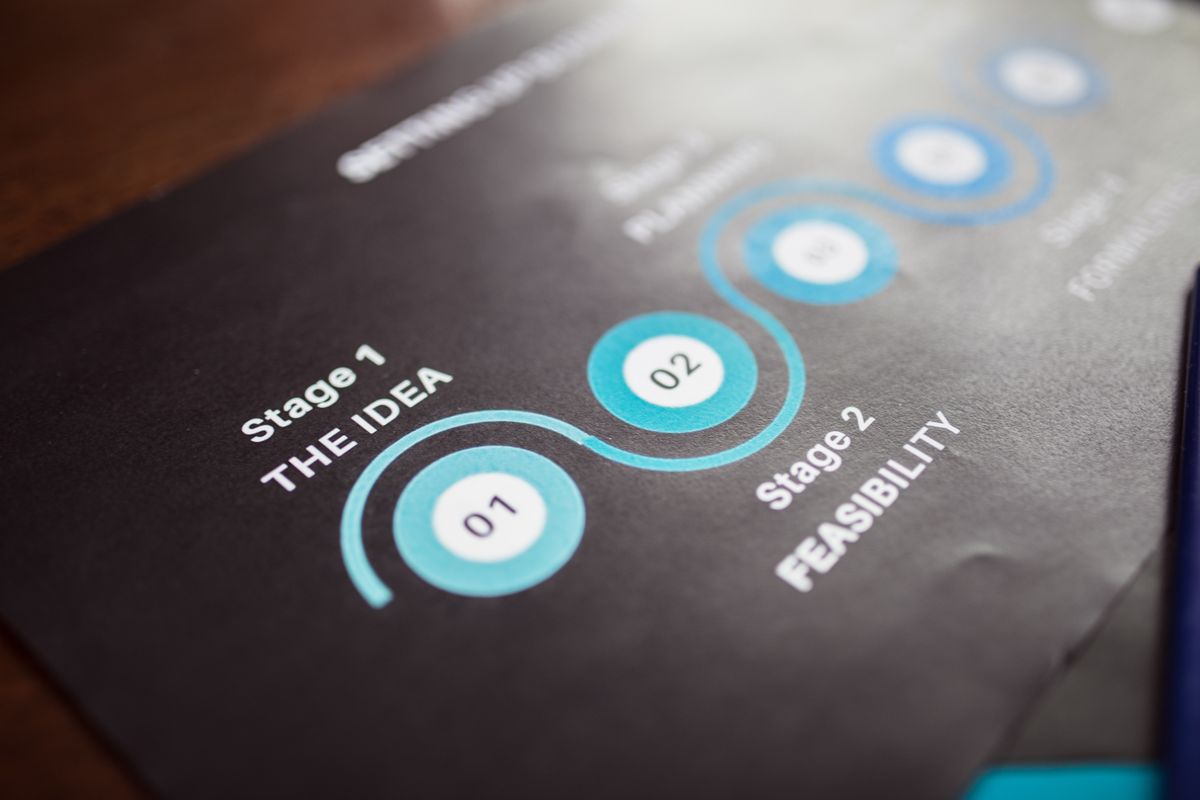
    Close-up image of a business strategy chart on paper showing stages and feasibility.
    Photo via Pexels

    `

    It’s 9:14 PM on a Tuesday. You’re sitting at your desk reviewing a set of deliverables your team was supposed to finish by end of day. They didn’t.

    Not because they’re lazy — they’re not.
    Not because they don’t care — they do.

    They just spent most of their day drowning in the same operational quicksand that’s been swallowing your firm’s capacity for months.

    I’ve been here. I’ve run the teams. I’ve been the guy at 9 PM wondering why six smart people can’t seem to get ahead.

    Here’s what I eventually figured out: output problems and burnout aren’t opposites you try to balance on a scale. They’re symptoms of the same root cause. The work itself is structured badly. The workflows are broken. The system is fighting the people instead of carrying them.

    The fix isn’t motivational speeches. It isn’t hiring another body. It isn’t “hustle harder.”

    The fix is AI workflow automation — and not in the way most people think about it. Not as a buzzword. Not as a replacement for your team. As a structural repair for the invisible friction that’s grinding everyone down.

    If you’re running a firm or agency with 1–15 people, this matters. You need more output from the team you already have. And you’re done pretending that working harder is going to get you there.

    For small service businesses, agencies, and regulated firms, the path forward is usually the same:

    • Reduce operational drag
    • Automate repeatable work
    • Protect human judgment
    • Create sustainable throughput

    That’s where AI workflow automation for small professional firms becomes more than a trend. It becomes a practical operating system for getting more done without burning out your best people.

    Three colleagues working together at laptops in a modern office setting, viewed from above.
    Photo via Pexels
    Back view of a motorcyclist speeding on a race track, showcasing skill and speed.
    Photo via Pexels
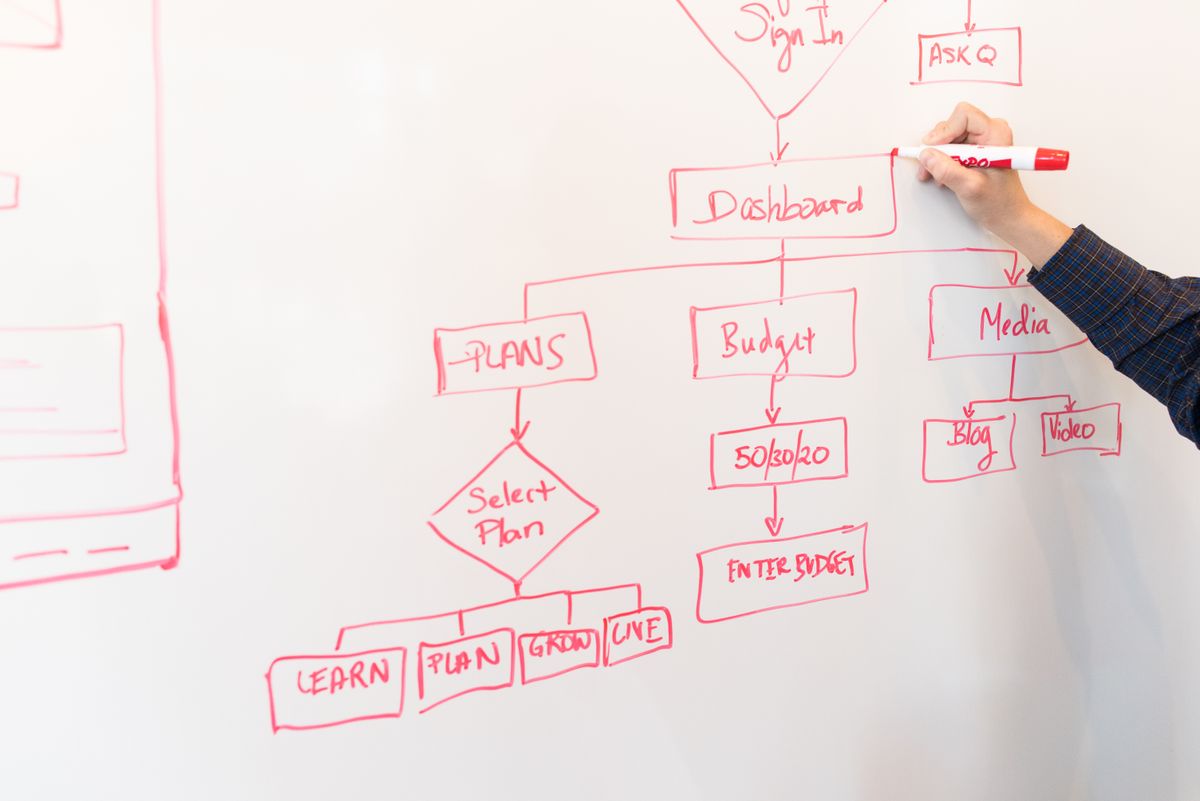
    A person creates a flowchart diagram with red pen on a whiteboard, detailing plans and budgeting.
    Photo via Pexels
    A diverse group of coworkers collaborating around a table in a modern office environment.
    Photo via Pexels
    Close-up of hands analyzing colorful graphs at a business meeting, indicating strategic planning.
    Photo via Pexels
  • Double Agency Output With Headless CMS Workflows

    `

    Two professionals brainstorming digital marketing ideas.
    Photo via Pexels

    `

    Headless content management systems sound technical. Fine. But the real story isn’t technical at all.

    It’s operational.

    Everyone’s chasing AI productivity. Most teams are just creating different bottlenecks with extra steps.

    The difference wasn’t the writing.

    It was a single email their headless CMS started sending automatically.

    That’s the whole story. But the mechanics behind it — and why most agencies never build this — are worth understanding before you dismiss it as too technical, too expensive, or too complicated for your team.

    It isn’t any of those things.

    It’s a workflow problem. And workflow problems have workflow solutions.

    If you’re already exploring AI-powered operational systems, Clive Moore’s broader work around AI-powered productivity platforms and workflow infrastructure gives useful context for why this shift matters.

  • Build Your Brand Voice With AI Workflow Automation

    Two men in an office setting working together late at night on a project.
    Photo via Pexels

    AI workflow automation sounds simple when people talk about it in theory. In practice, most businesses experience something messier first: chaos.

    You sign up for a tool. It produces something. It’s fine. A little flat. Sounds like it could have come from anyone. You tweak the prompt, get something slightly better, and move on.

    Six months later, you’ve got ChatGPT for content, another tool for emails, something else your ops person set up, and none of them know who you are or how you sound.

    That’s not a technology problem. That’s an infrastructure problem.

    Here’s what’s actually going on:

    • You’re feeding AI blank-slate prompts with no context
    • Your output comes back sounding like polished corporate filler
    • You’re collecting tools instead of building a system
    • Nothing connects, nothing scales, and the promised efficiency never shows up

    This post addresses both sides of that problem. We’re going to walk through how to define your brand voice in a way AI can actually use, encode it so your output stays consistent at scale, and then build the AI workflow automation architecture around it.

    If you want a broader view of Clive Moore’s work in strategic brand systems and AI-enabled productivity, start with Clive Moore’s homepage.

  • Get More From Your Team With AI Workflow Automation

    `[HERO IMAGE]`

    It’s 11pm and your Slack just lit up. Your lead developer is asking a question about a client deliverable due tomorrow. Your project manager sent a status update three hours ago that nobody read. And somewhere in the back of your mind, you’re doing math — wondering if you can afford to hire one more person, or if that just creates one more person to manage.

    You need more output. Your people are already stretched. And the “just push harder” approach stopped working a long time ago.

    Here’s what most agency owners and bigger freelancers get wrong: the problem usually isn’t effort. It’s the amount of work that should never have been manual in the first place. That’s exactly where AI workflow automation becomes a serious timesaver and a real productivity lever.

    Every hour your developer spends formatting a report, summarizing a meeting, or chasing context in Slack is an hour of real, valuable work that doesn’t happen. The fix isn’t more pressure. It’s removing the friction.

    Let’s look at what that actually means in practice.

  • Agency Admin Automation: Reclaim 500+ Hours

    Overhead view of a stressed woman working at a desk with a laptop, phone, and notebooks.
    Photo via Pexels

    Nobody wants to talk about the administrative drain, but agency admin automation is exactly what more agency owners should be thinking about.

    Every conversation about agency growth circles around the same topics — client acquisition, pricing strategy, team structure, and service offerings. That’s where the energy goes. That’s what fills the conference panels and podcast episodes.

    Meanwhile, a quiet hemorrhage is happening in the background.

    The average SMB agency or multi-client freelancer loses more than 500 hours per year to administrative work that never shows up on an invoice. Not creative blocks. Not difficult clients. Not scope creep. Plain, repetitive, operational grind — the kind that fills your mornings before you’ve done a single thing that matters.

    That number isn’t a scare tactic. It’s what the math produces when you honestly track where the hours go across site maintenance, security monitoring, status updates, reporting, and coordination overhead at scale.

    This isn’t a time management problem. It’s a systems problem.

    And the good news is that it’s entirely solvable — through intentional agency admin automation that replaces manual labor with infrastructure. This post breaks down where those hours are actually going, why the problem persists, and exactly where automation pays off fastest.

    If you’re already thinking about how stronger systems improve delivery, positioning, and client trust, start with Clive Moore’s main site for a broader view of his digital and strategic thinking.

  • Get More From Your Team Without Burnout Using AI

    `

    Minimalist image of three crumpled paper balls on a white surface, symbolizing burnout.
    Photo via Pexels

    `

    Most advice about getting more from your team is just polite code for “make them work harder.” That’s not a strategy. That’s a countdown to turnover. The better answer is AI workflow automation — not as a buzzword, but as a practical way to remove wasted effort, reduce context-switching, and help your team do more meaningful work without burning out.

    I’ve run teams. I’ve built products. I’ve been the founder reviewing every deliverable at 11 PM because there was no system in place to catch problems earlier.

    And I can tell you from experience: the answer to “how do I get more from my people” is almost never “ask for more.”

    It’s “waste less.”

    The average small team — the 5-to-15-person agency, the lean dev shop, the operations crew holding everything together with duct tape and determination — loses somewhere between 30 and 40 percent of its week to repetitive, low-value work.

    Think about it:

    • Status updates nobody reads
    • Reports assembled by hand
    • The same internal questions answered for the fourth time this month
    • Manual review steps that turn founders and managers into bottlenecks

    That’s not a people problem. It’s a process problem.

    And the fix isn’t a motivational speech or another project management subscription. It’s AI workflow automation, applied thoughtfully, in the right places, with humans still making the decisions that matter.

    This post is about how to do that.

    No theory. No hype. Just the practical stuff that actually works for teams that don’t have time to experiment with things that don’t.

  • Why Your AI Stack Is Broken | LLM-Agnostic Platform

    `

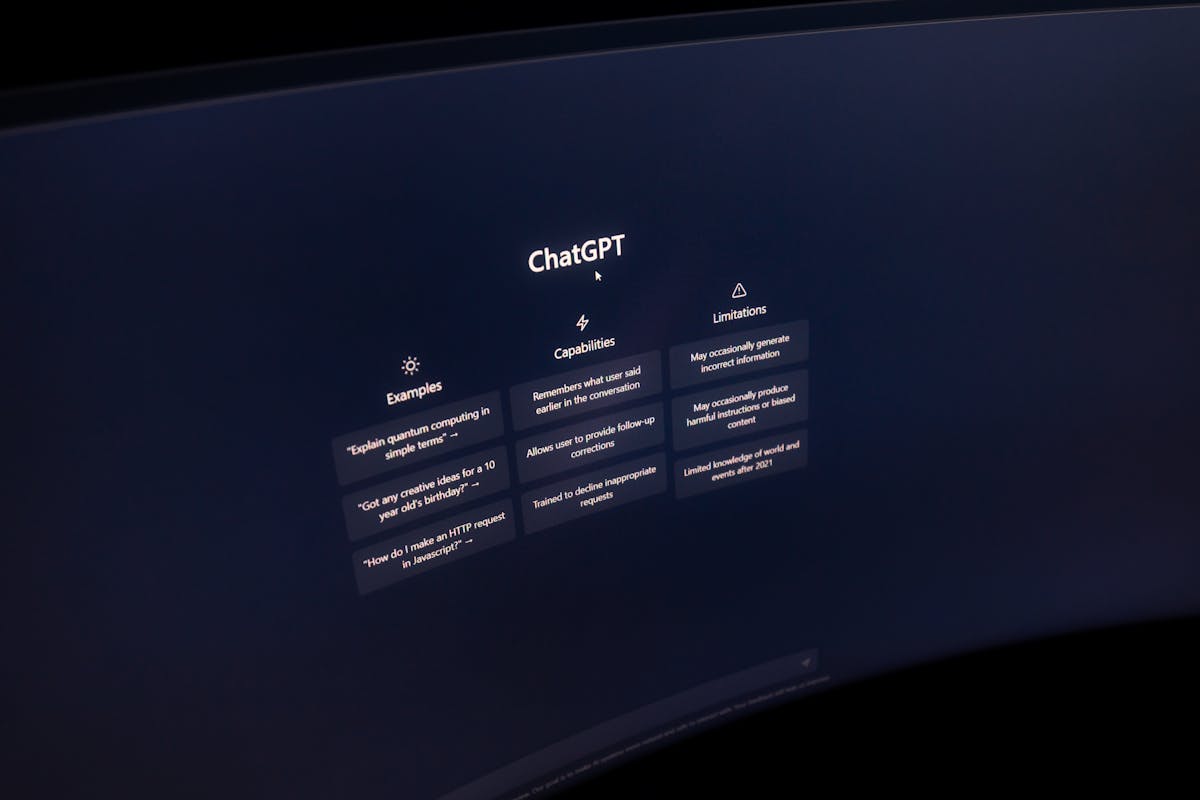
    Close-up of a computer screen displaying ChatGPT interface in a dark setting.
    Photo via Pexels

    `

    Here’s a question most enterprise IT leaders aren’t asking out loud: what if the AI tools you added to increase productivity are actually making it worse? That’s the hidden cost of a fragmented stack — and why an llm agnostic platform is quickly becoming the smarter architecture choice for enterprise IT.

    Not because the tools are bad.

    Because you have too many of them, none of them share context, and your people are spending more time toggling between platforms than doing the work those platforms were supposed to accelerate.

    The average enterprise knowledge worker switches between AI tools roughly 1,200 times a day. That’s not a workflow. That’s a treadmill. And it’s costing your organization north of four hours per person, per week — before you even factor in the cognitive recovery cost of each context switch.

    The fix isn’t a better AI tool. It’s a different kind of infrastructure: an LLM-agnostic platform that puts a unified, governed access layer between your people and the proliferating model ecosystem underneath them.

    That’s what this post is about — and why platforms like GPT Studio are increasingly relevant to CIOs trying to reduce AI sprawl without slowing innovation.